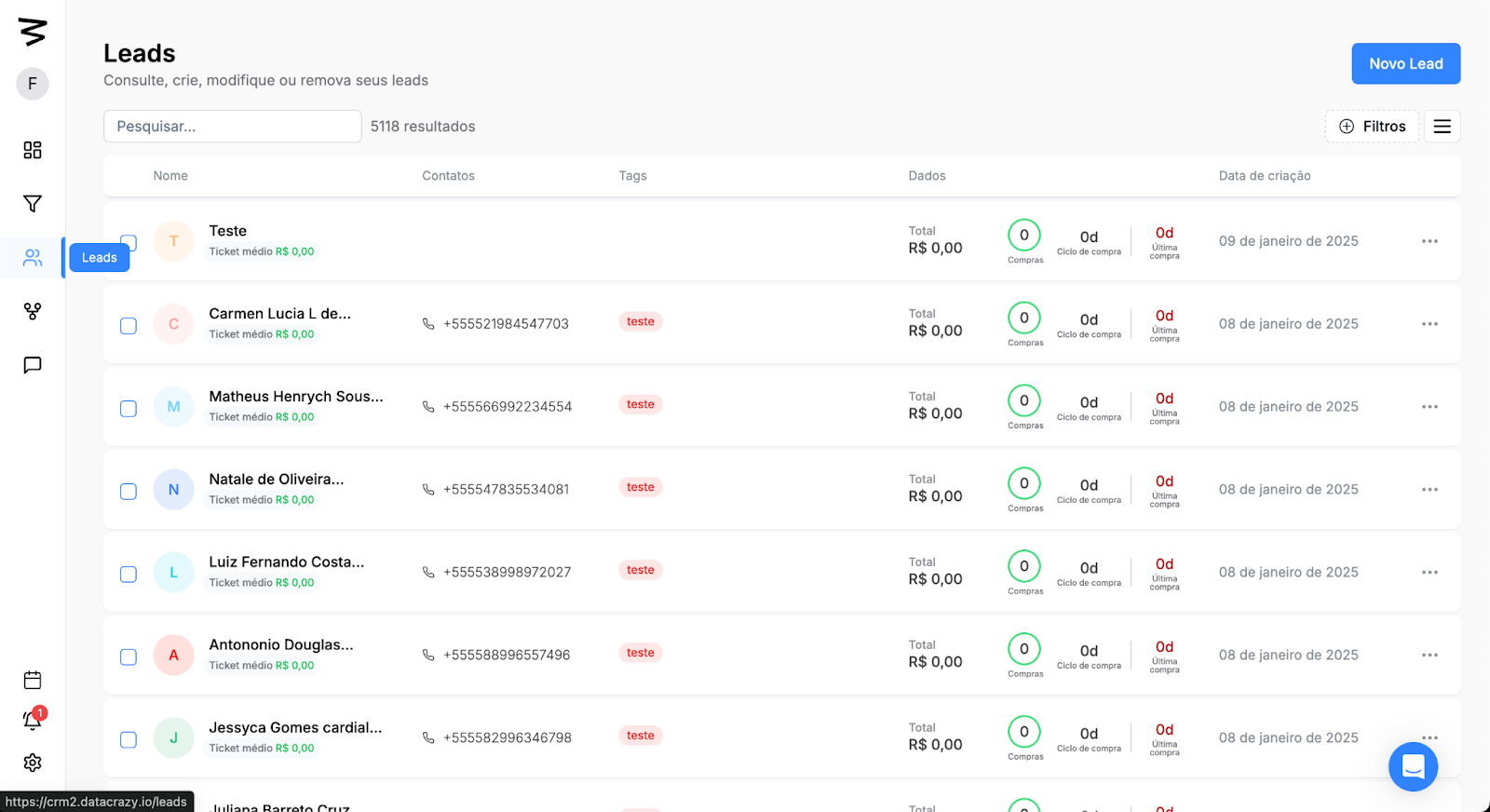
Step 1: Access the Leads section
On the left side menu, click on the Leads option.
You’ll be taken to the screen that lists your existing Leads.
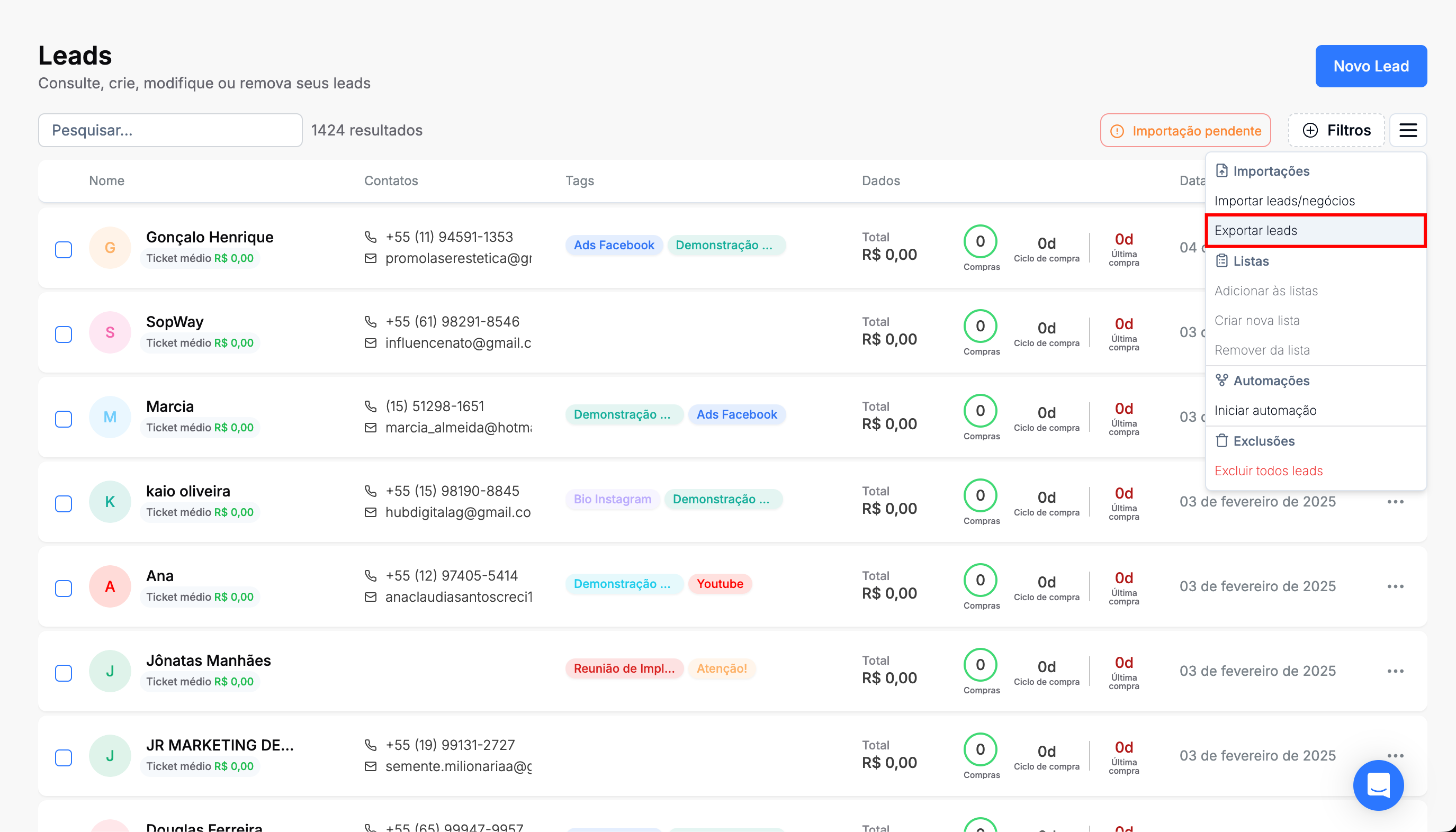
Step 2: Import leads
Click on “Options”.
Then, click on “Import leads/deals”.
Then, click on “confirm”.
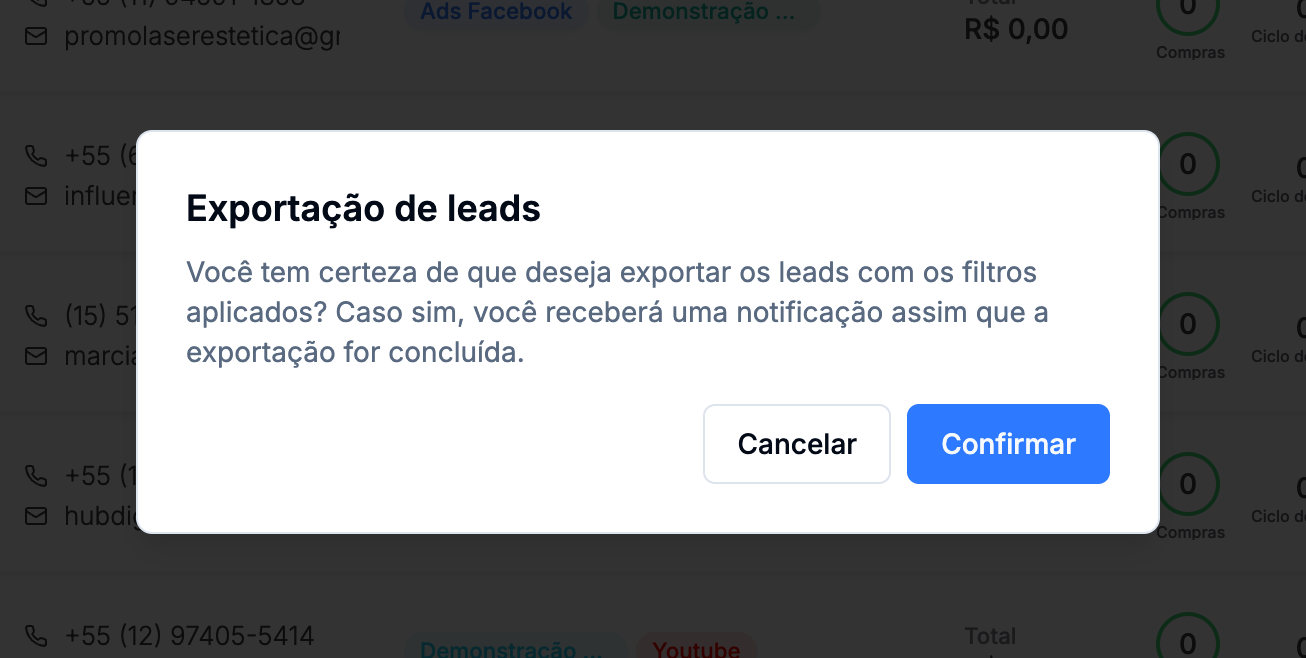
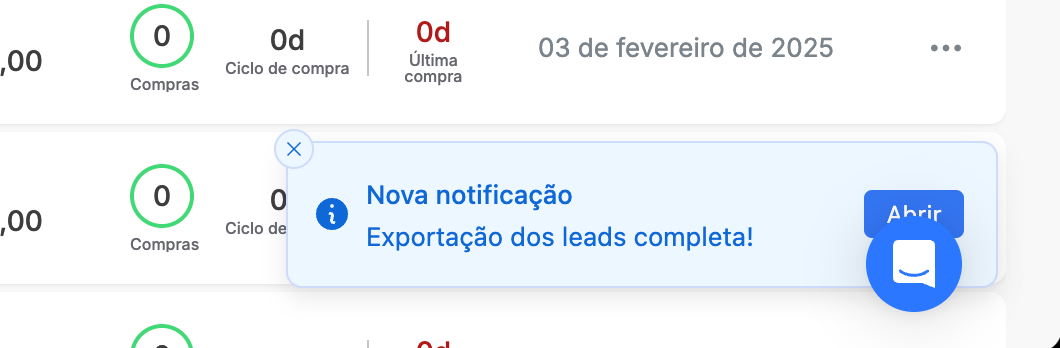
Wait a few moments until the “Leads export complete” notification pops up.
Step 3: Download file
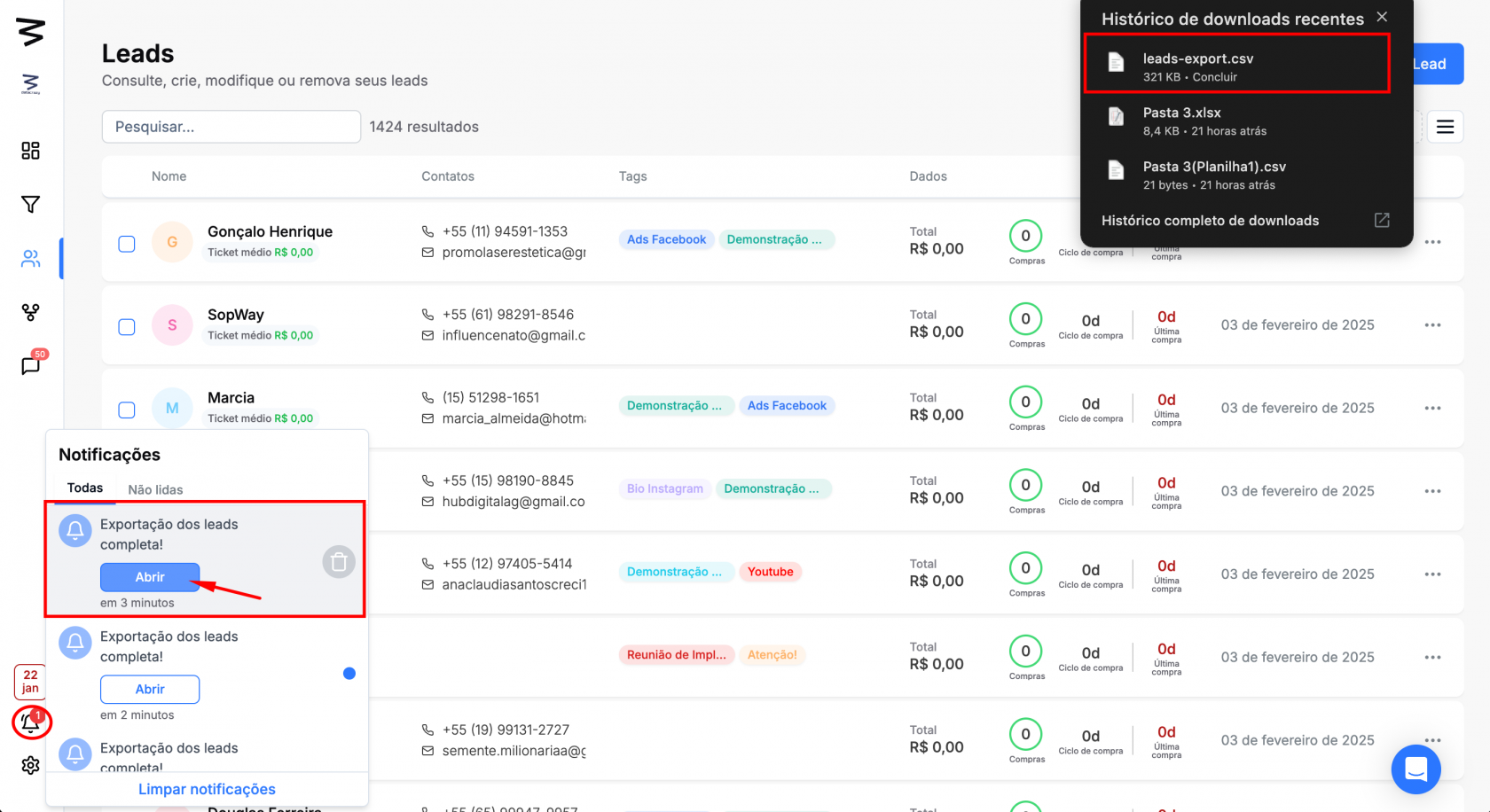
In the left sidebar menu, click on notifications.
Click "Open" on the "Lead export complete" notification.
Check your download history for your downloaded .csv file.