
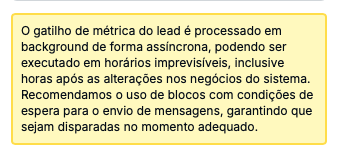
The trigger "Lead hasn’t made purchases in the last few days" is used to kick off automations and is simple to set up. Before using this trigger, keep in mind:
To set up a trigger like this, you need to:
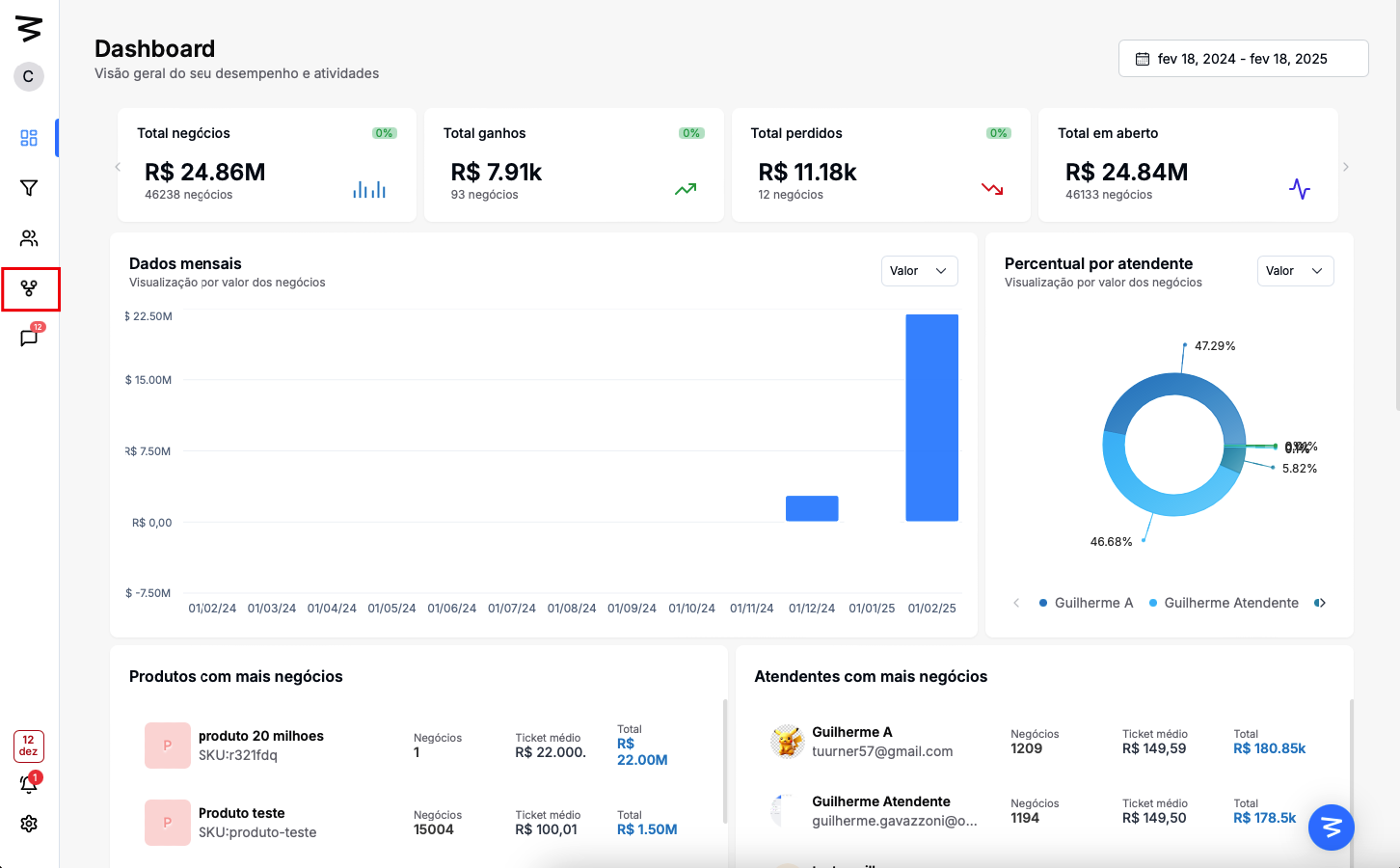
Step 1: Go to the automations page
In the left menu, click on "Automations".
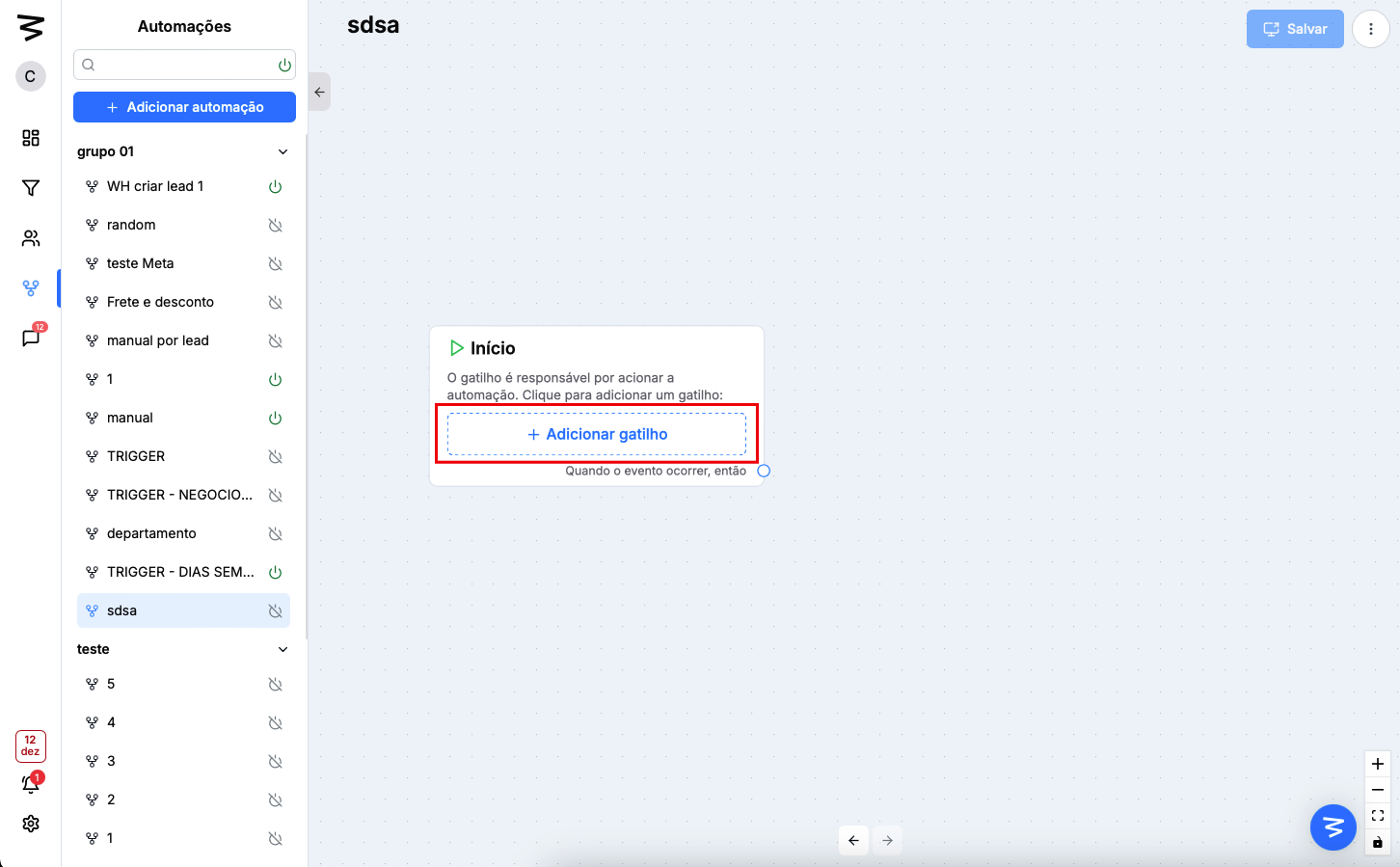
Step 2: Create a trigger
If you already have an automation, just access it. Otherwise, you’ll need to add a new one from the side menu
Click the "Add trigger" button
Go to the lead’s trigger options
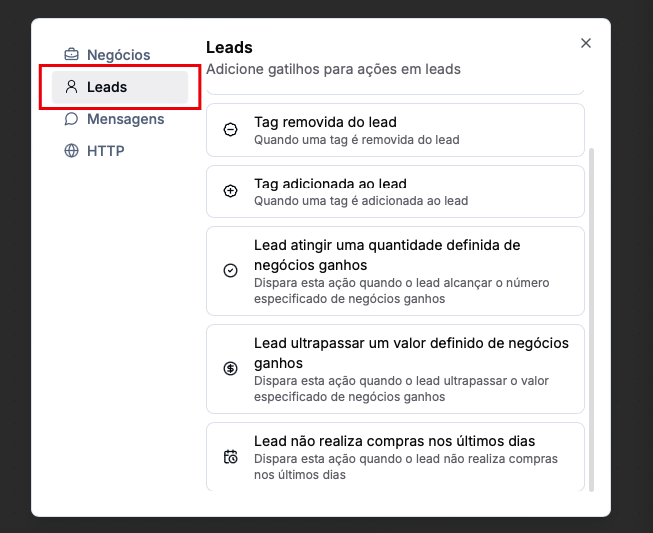
Select "Lead hasn't made purchases in the last few days"

Step 3: Set up the trigger
Enter the number of days without a purchase for the customer to reach for the trigger to fire
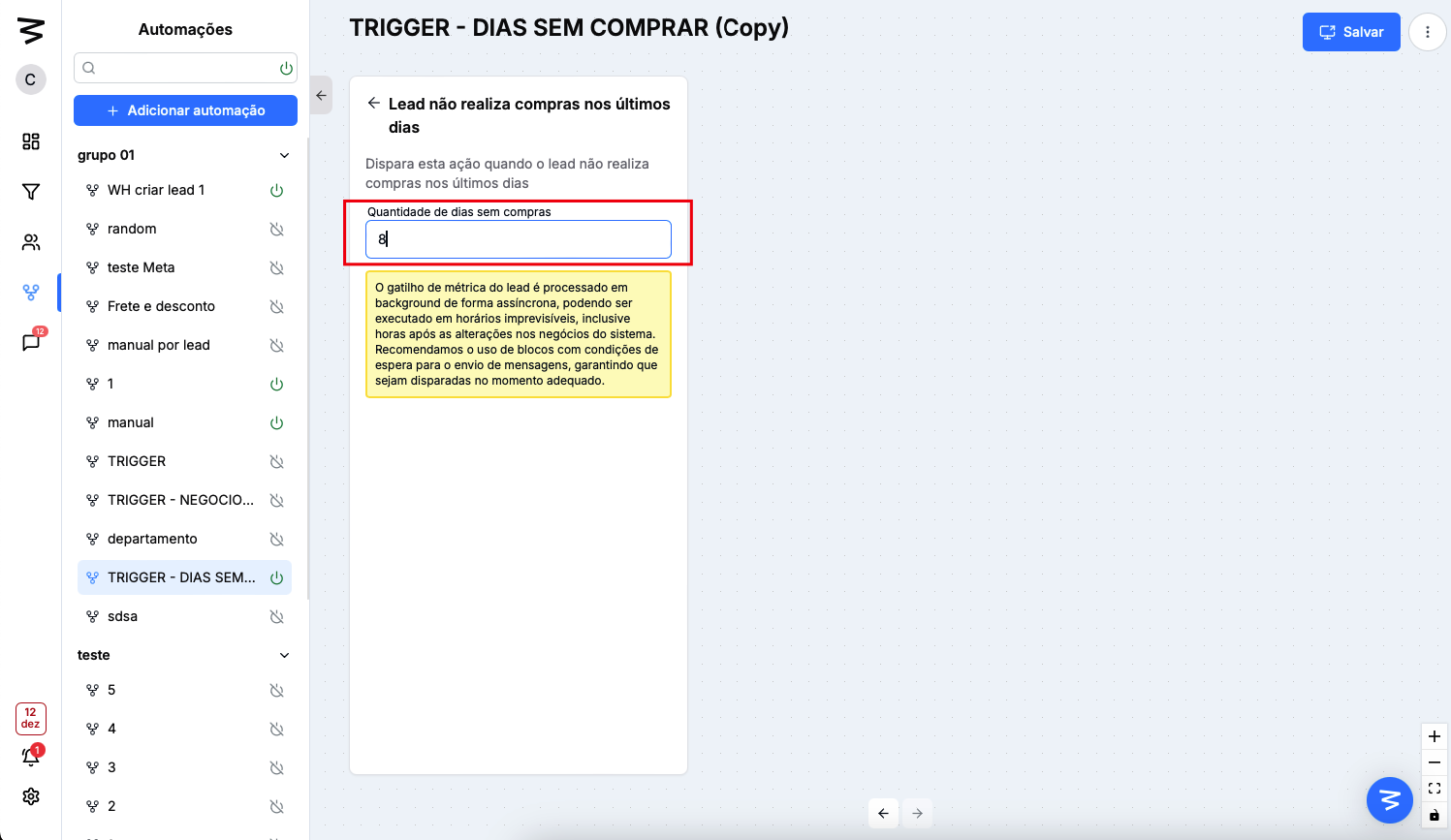
Done! Now you just need to save and activate the automation to use it