The Coexistence Mode lets you use WhatsApp Business on your phone at the same time as the Official WhatsApp API (Cloud API), connecting the physical app to the cloud.
Since this is a relatively recent feature from Meta, it’s important to consider the points below before activation.
Because this is a new feature from META, there will be instabilities.
The most common problem is the “echo”, when:
messages sent from the phone, WhatsApp Web or desktop app don’t show up in the CRM, or
messages sent from the CRM don’t show up in the app.
Messages stop being sent (keep spinning endlessly) or take 4–6 minutes to be sent, either in the CRM or on the phone itself connected to coexistence.
If any of these problems happens with your WhatsApp, you can try disconnecting and reconnecting it.
At no time should you delete the connection inside the CRM or you WILL LOSE ALL CHAT HISTORY.
Allows you to make audio and video calls directly from your mobile, increasing trust and closeness with the customer.
Keeps your current WhatsApp number, with no need to change or migrate.
On your phone, open WhatsApp Business.
Go to Settings → Account → Two-step verification.
Set a PIN and confirm it.
Finish the setup.
✅ Your number will be protected with two-factor authentication (2FA).
In Datacrazy, go to Connections → Create.
Select Cloud API with login via Facebook.
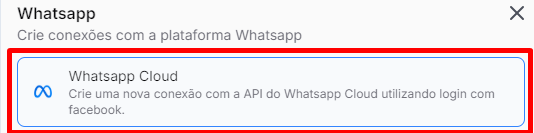
Fill in the fields:
Connection name
PIN (2FA configured previously)
Business portfolio
Address information
Move forward in the process and connect your existing WhatsApp Business.
Scan the QR Code shown.
Click Confirm to finish linking.
Confirm that the correct connection is selected.
In Multiatendimento, check if the following are enabled:
Show all departments
Show all connections
Show all agents
Make sure there are no active filters, such as:
Tags
Business stages
Run tests for:
Sending messages
Receiving messages
If the tests work correctly, the setup was completed successfully.
Set up the PIN (2FA) in WhatsApp Business:
https://www.youtube.com/watch?v=PsPx2QDATvY
Connect the Cloud API in Datacrazy (login via Facebook):
https://www.youtube.com/watch?v=TahzH8cnbhM
