Important:
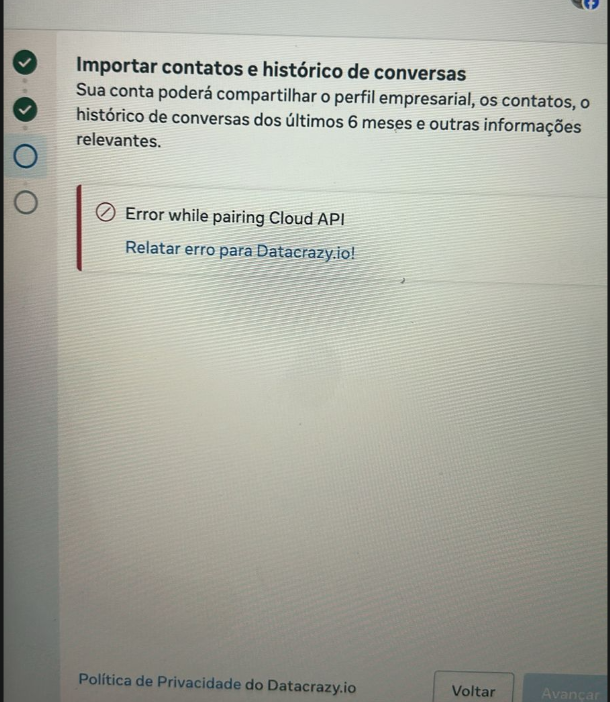
➡ The example screen of the error is available in the screenshot at the end of this documentation.
When connecting the coexisting WhatsApp with the Datacrazy CRM, the following error may appear during the pairing process with the Cloud API.
Error shown:Error while pairing Cloud API
Import contacts and chat history
Follow the solutions below in the order shown, testing the connection again after each attempt.
Possible cause:
WhatsApp Business is running in a cloned environment (Dual App, App Cloner, Second Space or similar).
Solution:
Carry out the connection process using the original WhatsApp Business, without cloning.
If necessary, use another device that doesn’t have cloned apps.
Possible cause:
An outdated version of WhatsApp Business can cause pairing failures with the Cloud API.
Solution:
Update WhatsApp Business to the latest version available in the official store (Google Play or App Store).
Possible cause:
Incorrect date and time settings prevent secure validation of the connection.
Solution:
Enable Automatic date and time
Enable Automatic time zone
Make sure that daylight saving time is turned off
Possible cause:
Network instability or blocks can happen when using Wi-Fi during pairing.
Solution:
Disconnect from Wi-Fi
Do the process using Mobile data (3G, 4G or 5G)
Possible cause:
Too many apps open or low device performance can cause a timeout in the process.
Solution:
Close all background apps
Restart the phone
Repeat the connection process
If the error keeps happening after you follow all the steps above, it’s recommended to:
Test the process on another device
Check for possible temporary instabilities in WhatsApp Cloud API services
Contact Datacrazy CRM technical support, providing:
Error message
Exact step where it happens
Evidence (screenshot of the screen shown at the end of this documentation)