The error chat.errors.whatsapp-cloud-error.error-code-130497 on the WhatsApp Cloud API often indicates that the business account (WABA) has messaging restrictions.
A common cause of this restriction is missing complete address and profile information in Business Manager (BM), the WABA (WhatsApp Business Account), or the linked Facebook Page.
Why does this happen?
Location Restrictions: Meta restricts messaging to certain countries if the business profile is not transparent or is incomplete.
Anti-Abuse: Missing basic information causes Meta's security system to classify the business as "high risk" or potential spam.
How to Fix It (Step by Step)
Keep the information consistent across BM/WABA/Facebook Page/Instagram
Update Business Manager (BM): Go to Business Settings > Business Info and fill in all the fields, especially your physical address, phone number, and website. See image 2A and 1A.
Check the WABA and fill in all the information and address: On the main screen of Business Manager, under WhatsApp accounts, you will find your WABA (WhatsApp Business Account). Select it, go to phone number, tap it, and fill in all the information. The more complete, the better. See image 2A, 2B, and 2C.
Facebook Page: Go to your Facebook page and switch to the page administrator view (you can't change information in profile view). To switch views, tap the profile icon at the top of the screen and choose the ‘profile’ with your page's name! See image 3A and 3B. Now make sure your company's Facebook page also has the correct, complete address.
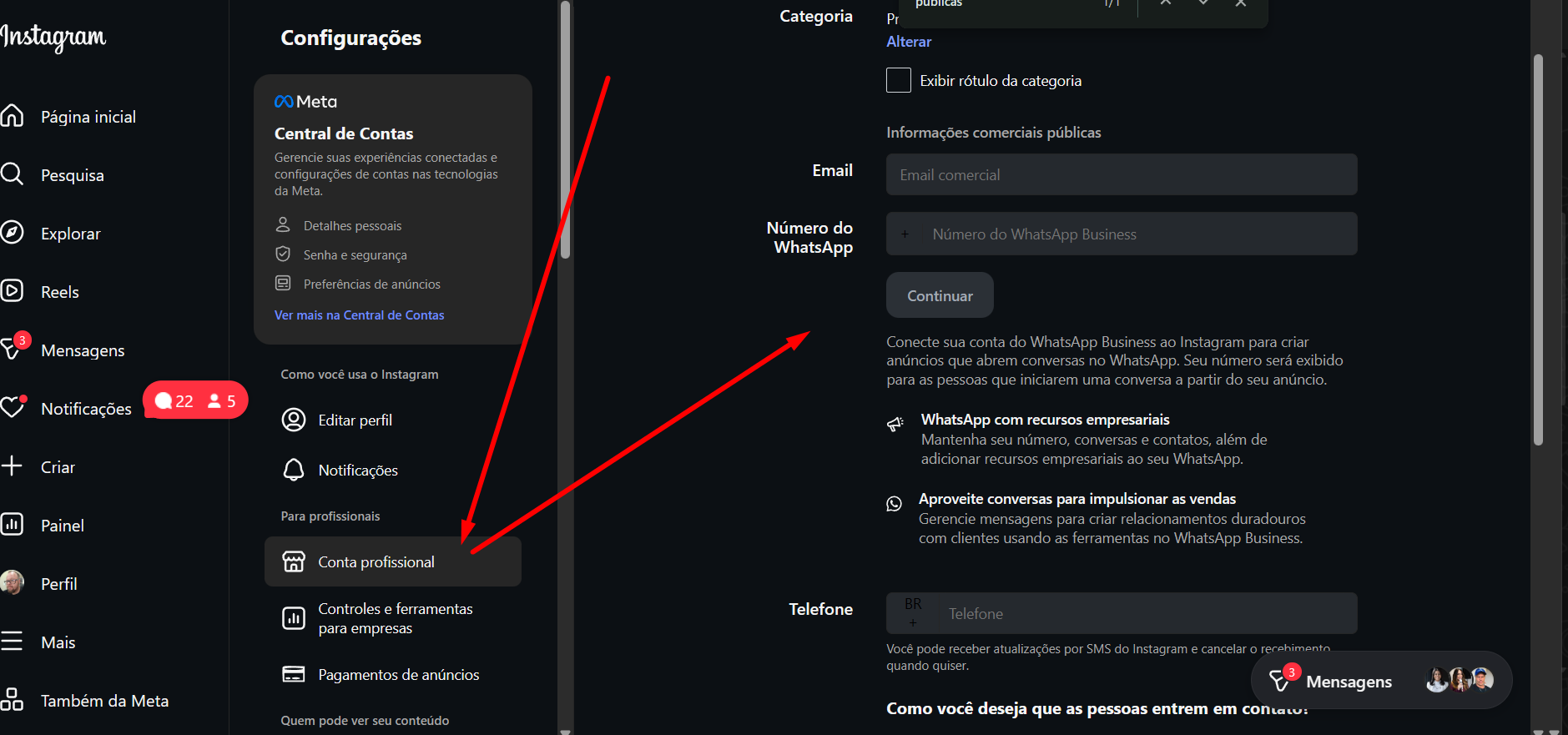
Go to your Instagram account and fill in the relevant information. See image 4A and 4B.
Company Verification: If possible, start the company verification process in Meta Business Manager. See image 1A - In the Company verification status
It is not immediate, and may take many hours (half a day or more). However, error 130497 usually becomes a thing of the past after this procedure.
In the future, create your accounts with as much information as possible and ensure the information is consistent across linked accounts to avoid this headache.
See Image 2A to access the business manager, then see image 1A to go to the BM data editing screen .
Image 1A - BM Information (Portfolio)
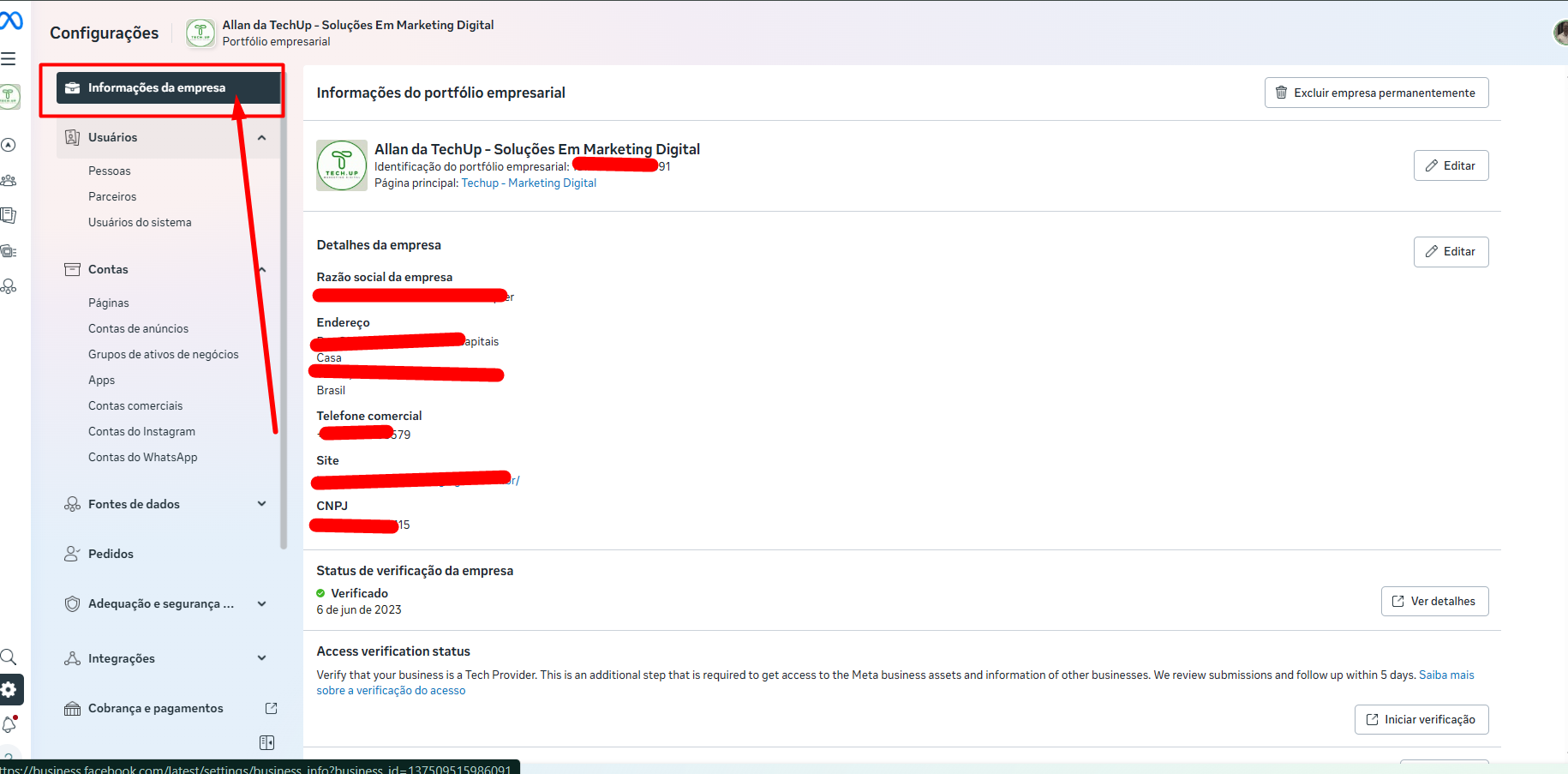
Image 2A - Accessing the business manager
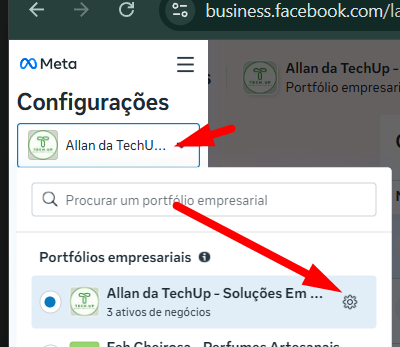
Image 2B - WhatsApp Accounts → Select the WABA → Click on Phone Numbers → click on the number
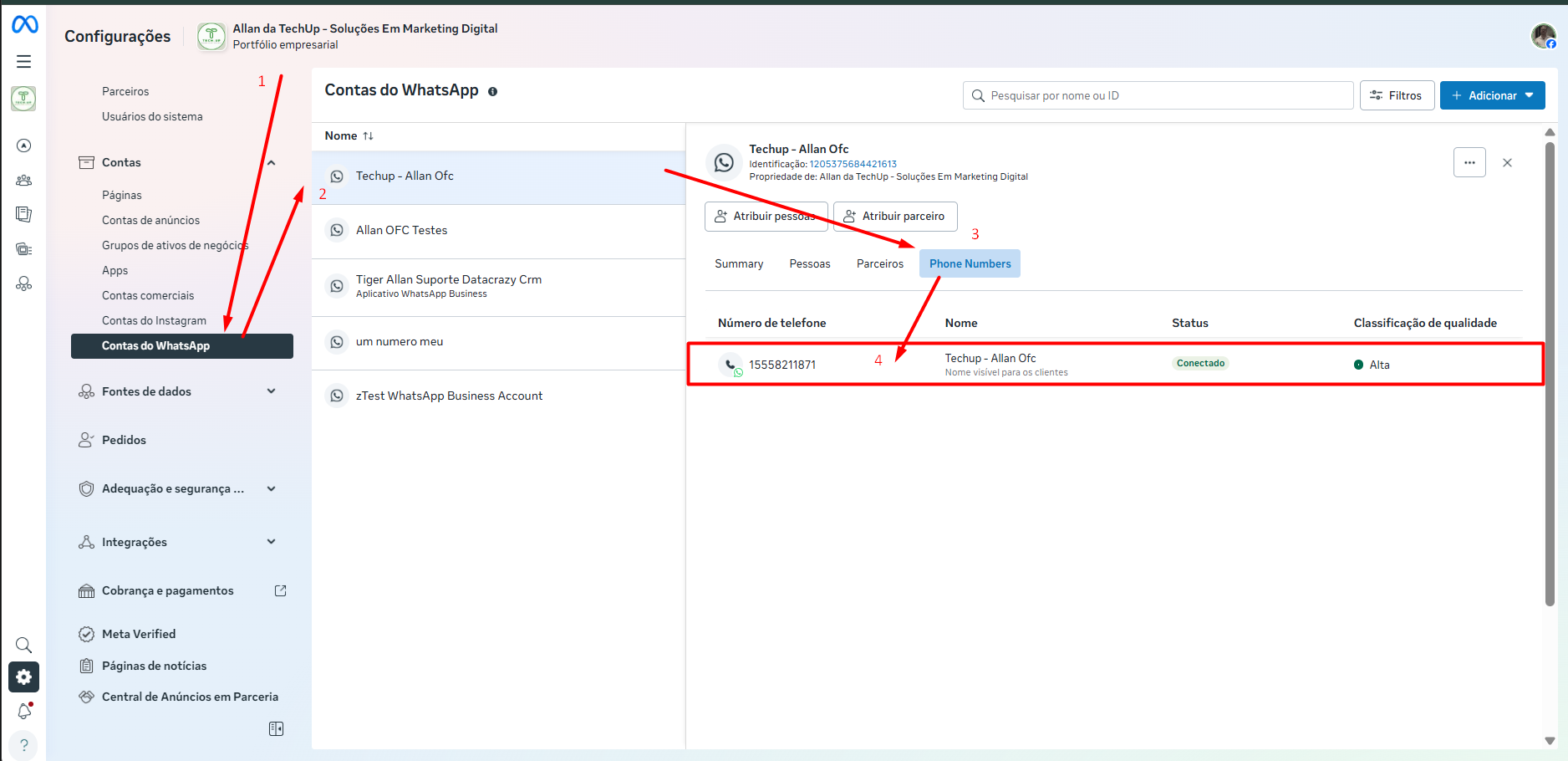
Image 2C - In the modal that opens, fill in all the information. Repeat for each number if there are other numbers in this WABA.
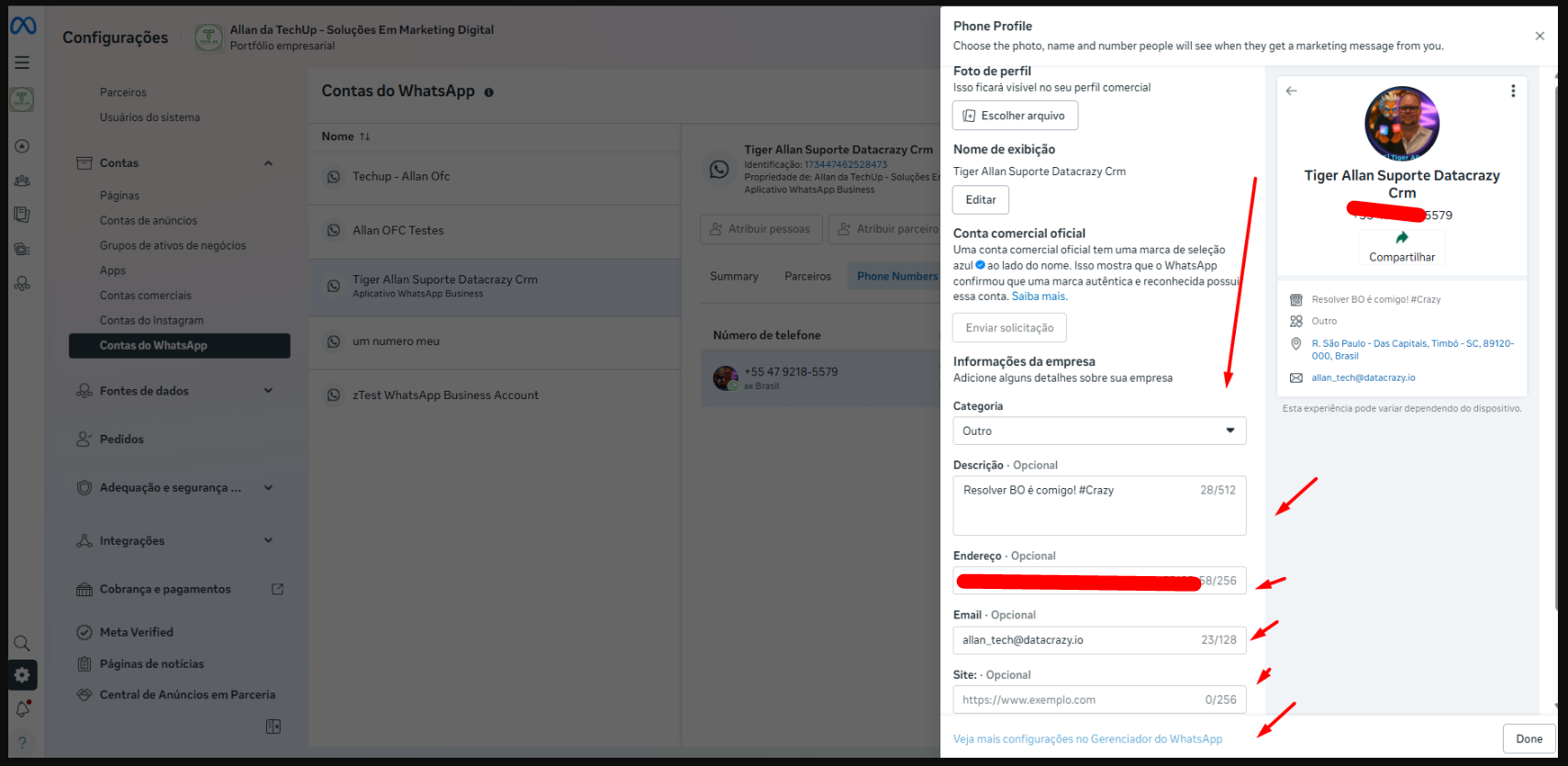
Image 3A - Go to your page → Now let's switch the view to the Page Administration view.
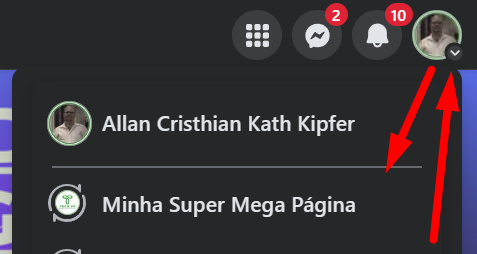
Image 3B - Edit Details to add more information.
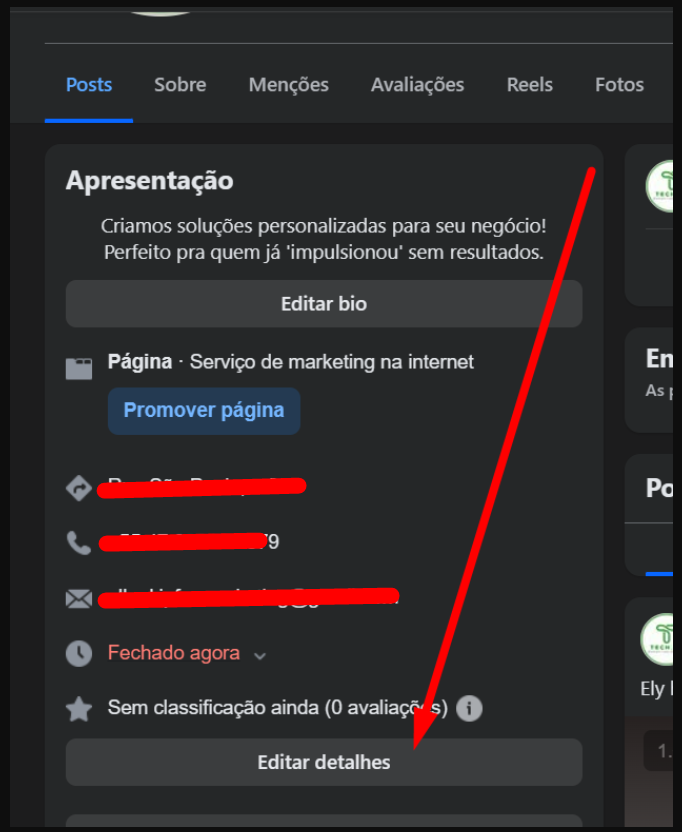
Image 4A - Go to your Instagram → Tap Profile → Edit Profile
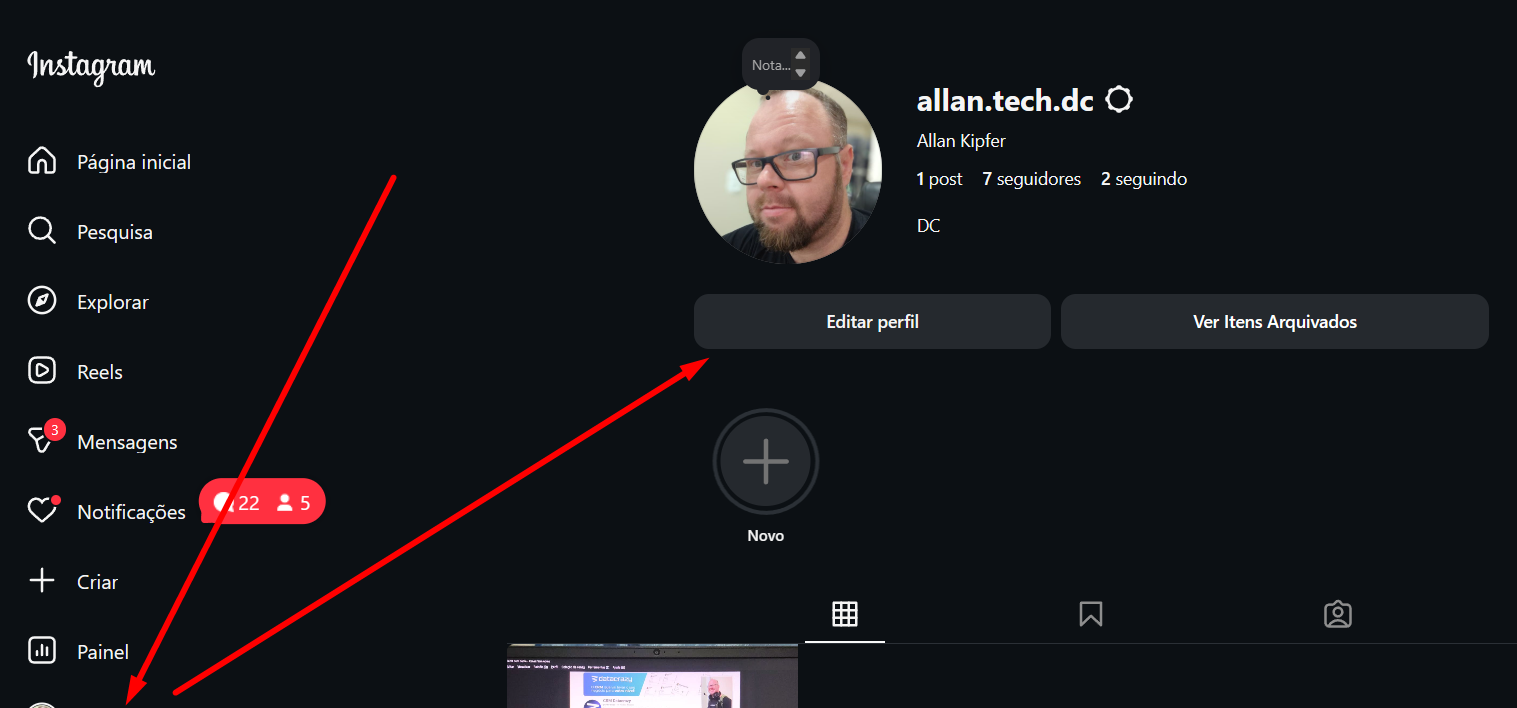
Image 4B - Tap Professional account → Now fill in the information. When you're done, scroll down and tap the submit button.