
Connection with coexistence doesn’t show your number to select, and when you type the number it says it’s already registered, when at this step it should have the selection button to choose the number.
Solution:
When connecting WhatsApp CoEx. in the CRM, on the embedded signup screen (opened by clicking Log in with Facebook), when you select Connect WhatsApp Business App, enter the number and continue, the phone number usually appears in the list above the typing field.
⚠ Important: This number only appears in the list if it’s already linked to the same Business Manager (BM).
If the number doesn’t appear This usually happens because the number is not linked to a BM.
How to fix it (two simple ways)
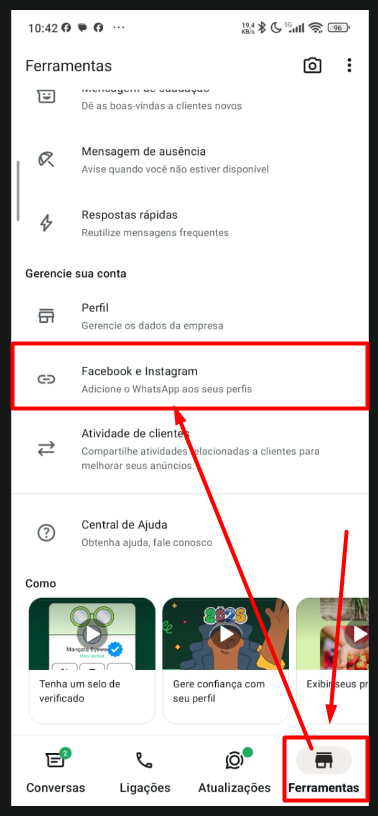
Option 1 — On the phone In Tools → Link Instagram/Facebook accounts, when you link the correct Facebook, the number may start showing up automatically (if it’s from the same BM). See Image 1.
Image #1
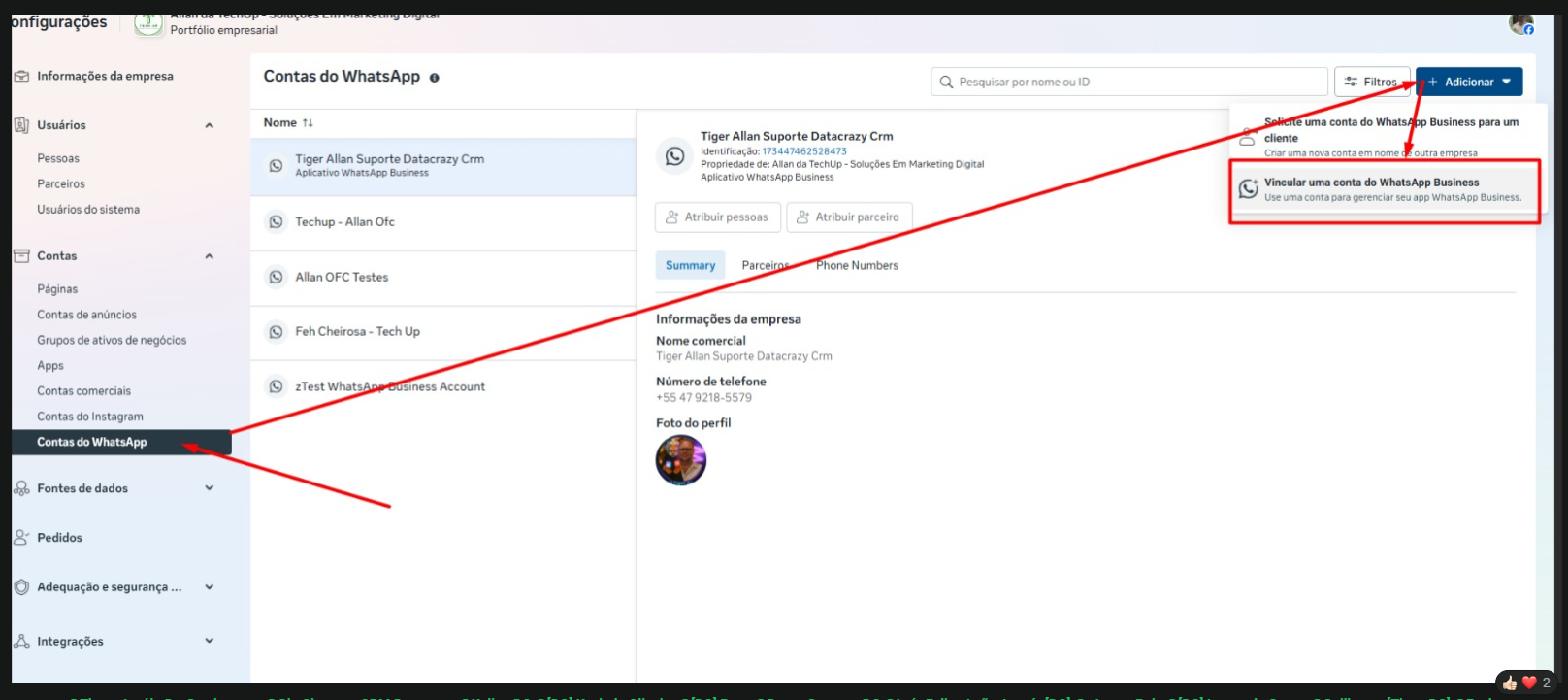
Option 2 — Easier way (recommended) Access the correct BM (Portfolio) Go to business settings, now to WhatsApp Accounts Link the account to manage the app. See image 2 and 3.
Image #2
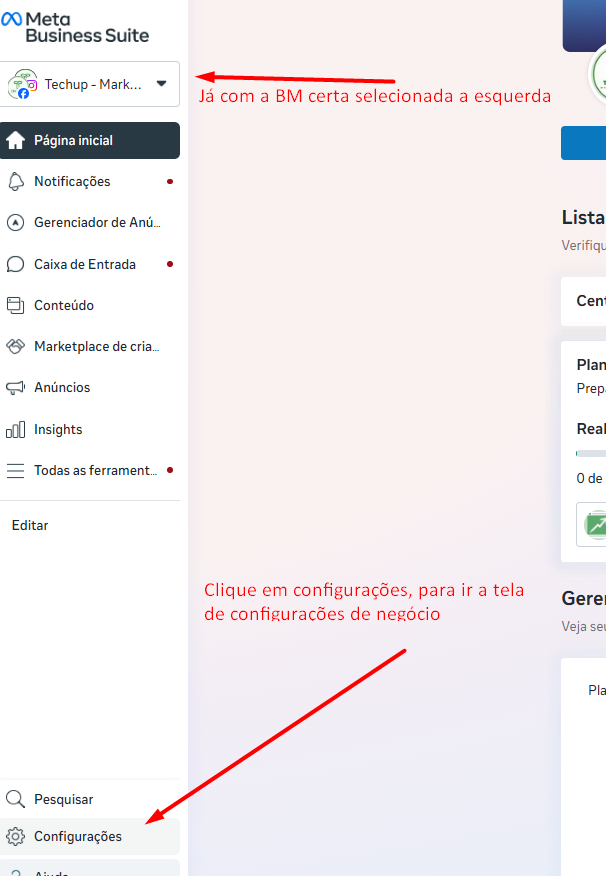
Image #3
Once the account has been added to your BM, whether by cell phone or inside WhatsApp accounts, make the connection normally in the CRM.