chat.errors.whatsapp-cloud-error.error-code-131042
What is error 131042?
WhatsApp Cloud API error 131042 indicates a financial issue in the WhatsApp Business account linked to the Meta Business Manager.
When this error shows up, message sending is blocked because the system can’t charge for the messages.
This is not a technical integration error with datacrazy or the API. It’s a block due to missing or pending payment details.
The WhatsApp Business account doesn’t have a credit card linked in Meta Business Manager.
How to fix it:
Add a valid card to the correct billing account.
Set the method as DEFAULT
The registered card might:
Has expired
Has been declined by the bank
Has insufficient limit
How to fix it:
Update the card details
Add a new payment method
The account has reached the billing limit set by Meta and needs to settle outstanding amounts.
How to fix it:
Go to billing
Check open charges
Make the payment
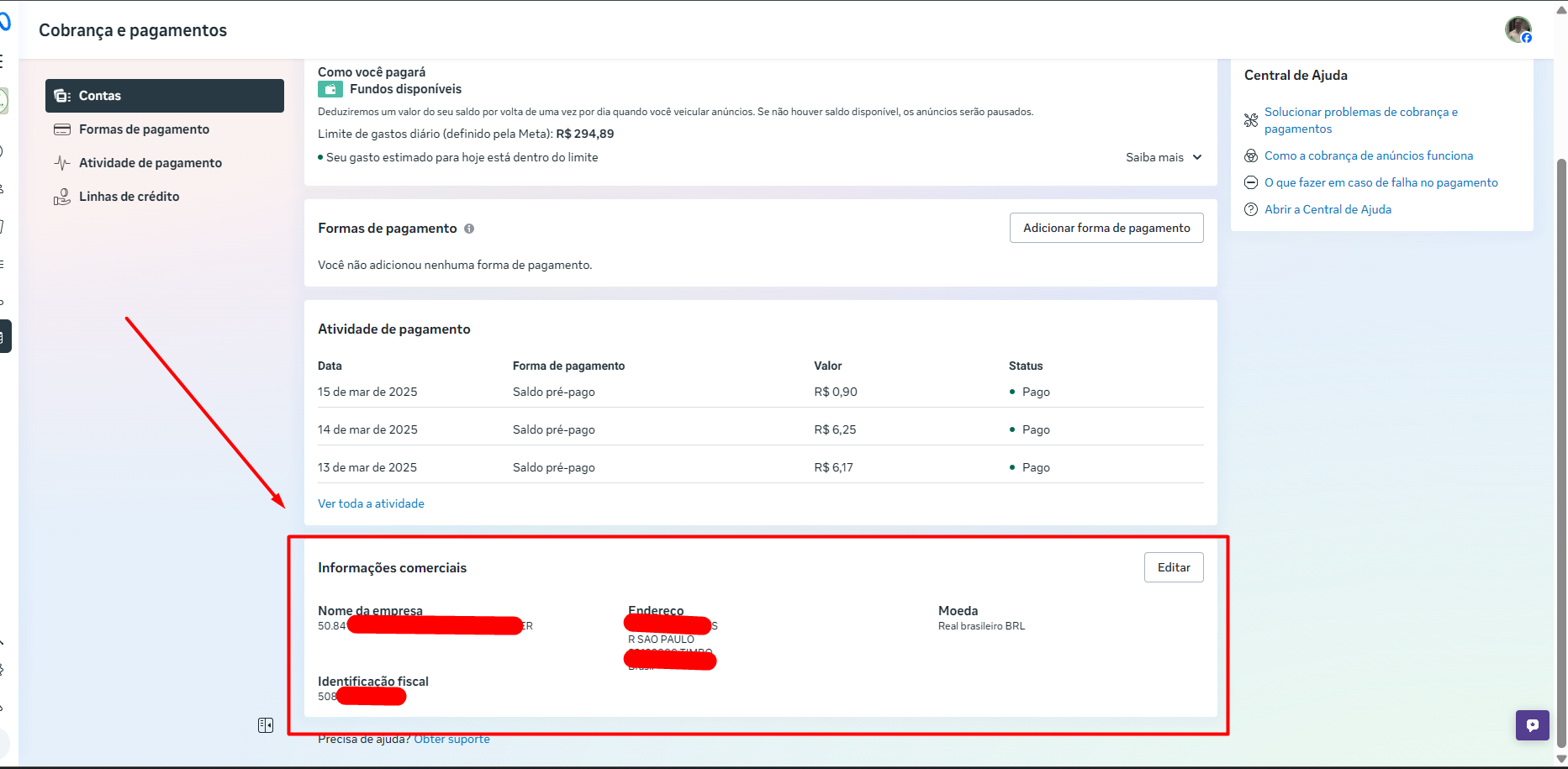
The account may be missing required data, such as:
Company name
Currency
Business address
Tax number (CNPJ / Tax ID)
How to fix it:
Fill in the information in the billing section - See image #1
The card might be added to another business account that doesn’t own the WABA.
How to fix it:
Confirm that the payment method is linked to the correct WhatsApp Business account
After fixing the payment, Meta may take some time to allow sending again.
Average time:
Up to 72 hours
Access Meta Business Manager
Go to Billing and Payments
Find the WhatsApp business account
Check if there’s an active payment method
Add a valid credit card or update the current one
Check if there are any pending charges and make the payment
Confirm that the account isn’t restricted or suspended
Wait for the system to update (up to 72h, if needed)
Usually error 131042 shows up when:
Messages suddenly stopped being sent
There haven’t been any recent technical changes
The account was already being used normally
In these cases, the most common cause is billing.
In some scenarios, even with:
Company verified in Business Manager
Correct payment method
Tax information filled in
The WABA may show a yellow warning saying that the company needs to start the verification process.
This is a status inconsistency between systems. - See image #2 below.
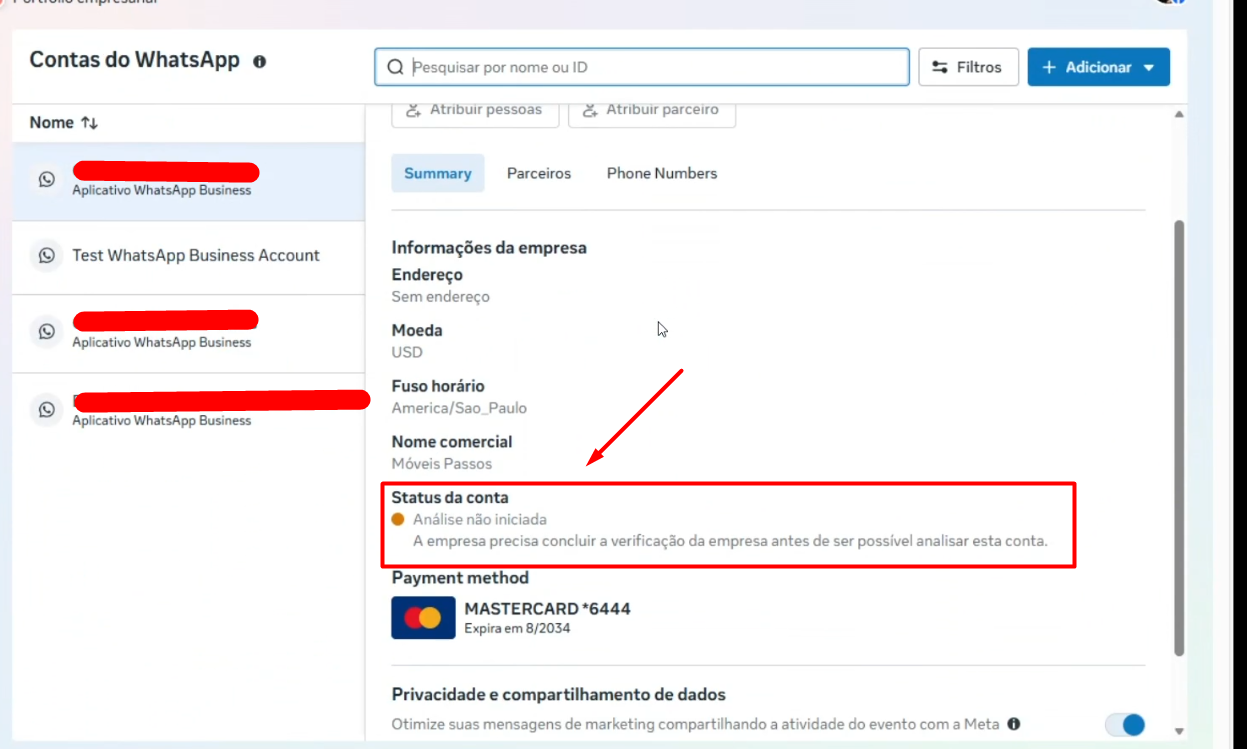
Business Manager shows verified business
Inside WABA a pending verification warning appears
Sending is blocked even with correct billing
Remove the partner from the account
Remove the account from the portfolio
Reconnect the account through the CRM
After connecting coexistence in the CRM, wait about 30 minutes
Run a new test sending a template
This process forces the correct sync of statuses between WABA, Business Manager and CRM.
Error 131042 is directly related to payment, but it can also appear due to configuration and synchronization inconsistencies between systems.
In most cases, it occurs because of:
Missing card
Invalid card
Outstanding balance
Incomplete tax information
Verification mismatch between BM and WABA
After fixing billing issues or reconnecting the account, message sending tends to go back to normal automatically.
