Tags are a resource used to organize leads within Datacrazy in a visual and strategic way. Tags are mainly used to quickly identify important information about leads, such as level of interest, qualification status, or any other criteria relevant to your sales process. They facilitate visualization and help keep your lead database more organized.
Additionally, tags are extremely useful for applying filters. When filtering by a specific tag, the system displays only the leads that have that identification. This is ideal for performing automations, specific campaigns, or mass sends to a segmented audience.
To create a new tag, access the system Settings. Just below your company profile information, you'll find the Tags tab.
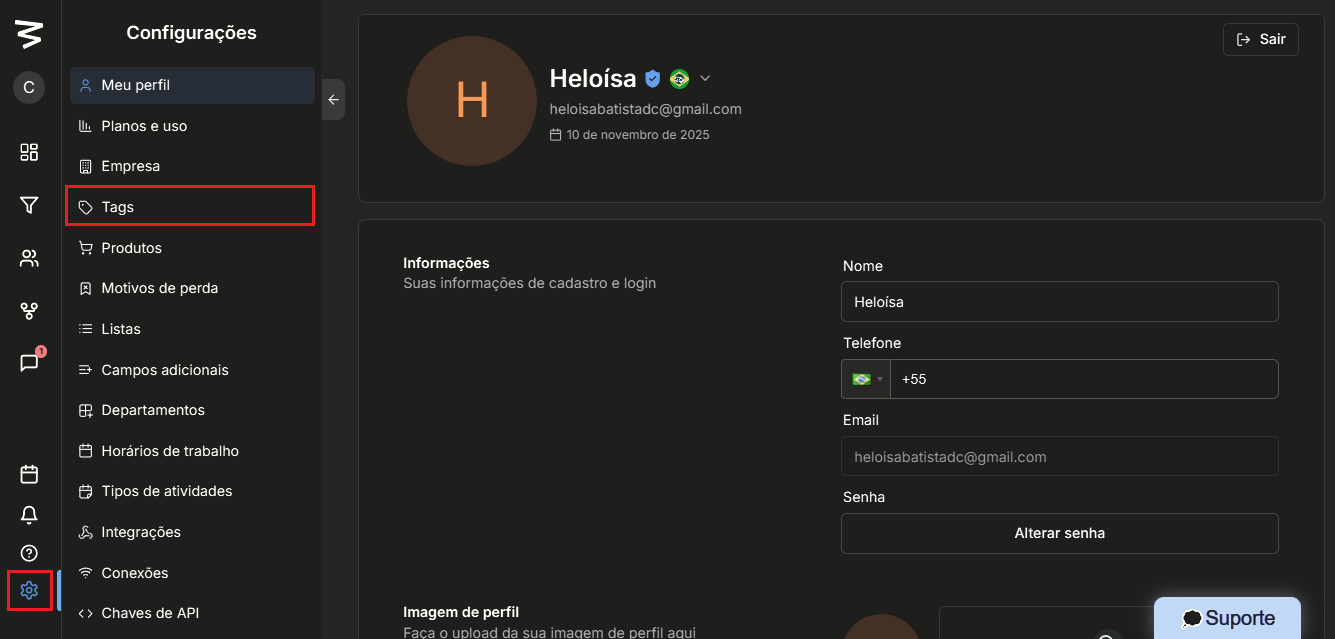
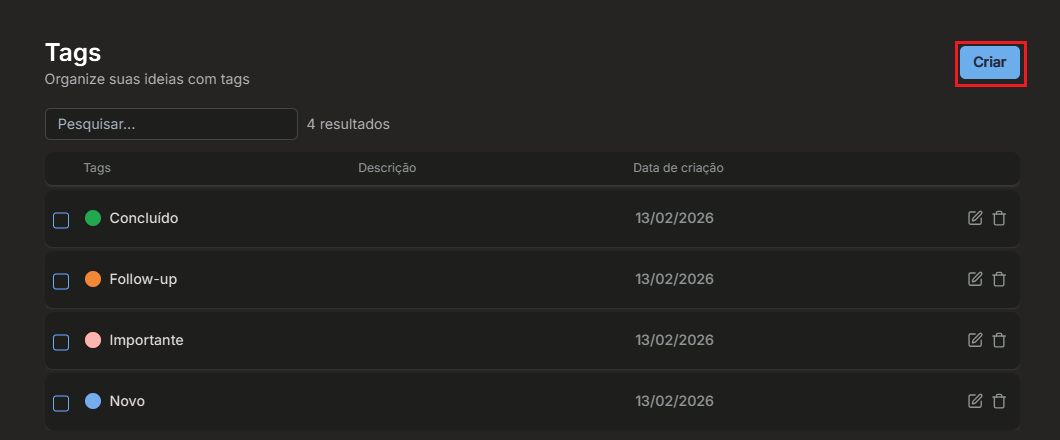
Within this area, you can view all tags that have already been created. To add a new one, simply click the Create button.
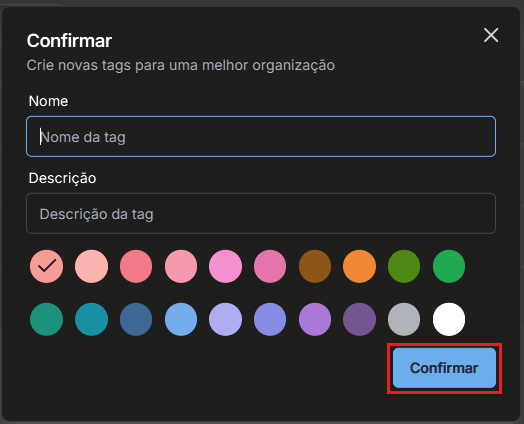
At this moment, you should define the tag name and, if you wish, add a description to facilitate understanding of its use. It's also possible to choose the tag color, which helps with visual organization.
After filling in the data, click Complete and the tag will be created successfully.
Adding tags to leads can be done manually and is a simple process. Access the Leads tab, locate the desired lead and enter their profile. Within the profile, there will be the option Add tags.
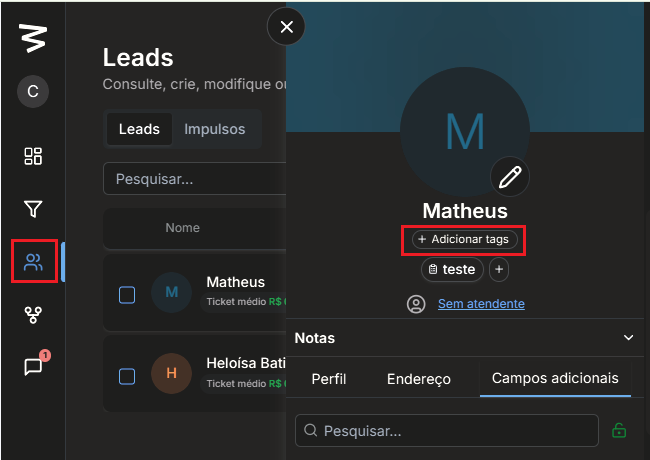
When you click, you can type the tag name or select it from the available list. Once selected, the tag will be automatically linked to the lead.
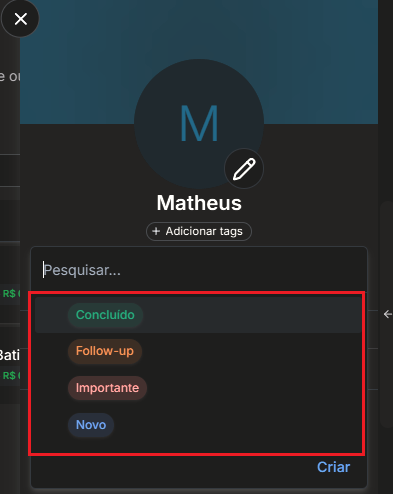
It's possible to add more than one tag to the same lead, allowing for more detailed and complete organization.
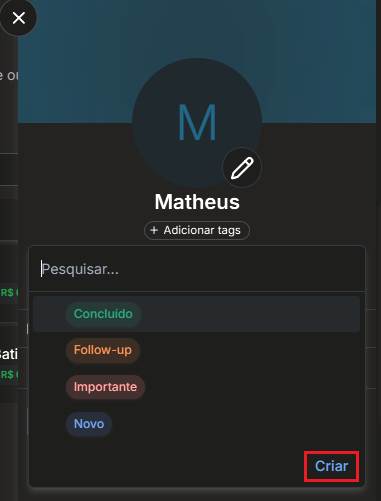
In addition to creating tags through settings, it's also possible to create a new tag directly from a lead's profile. When accessing the profile, just click on the option to add tags and choose the option to create a new one. After entering the tag name, it will be created and automatically linked to the lead
Tags are an essential feature for those seeking more control, organization, and efficiency in managing leads within Datacrazy. With them, it's possible to segment your database, facilitate filters, and optimize sales actions and automations in a practical and visual way.
