Additional fields are custom fields that allow you to register information that does not exist natively in Datacrazy.
These fields can be created for both leads and deals, according to your process needs.
To create an additional field, go to:
Settings → Additional fields
In this area, you can choose whether you want to create additional fields for leads or for deals.
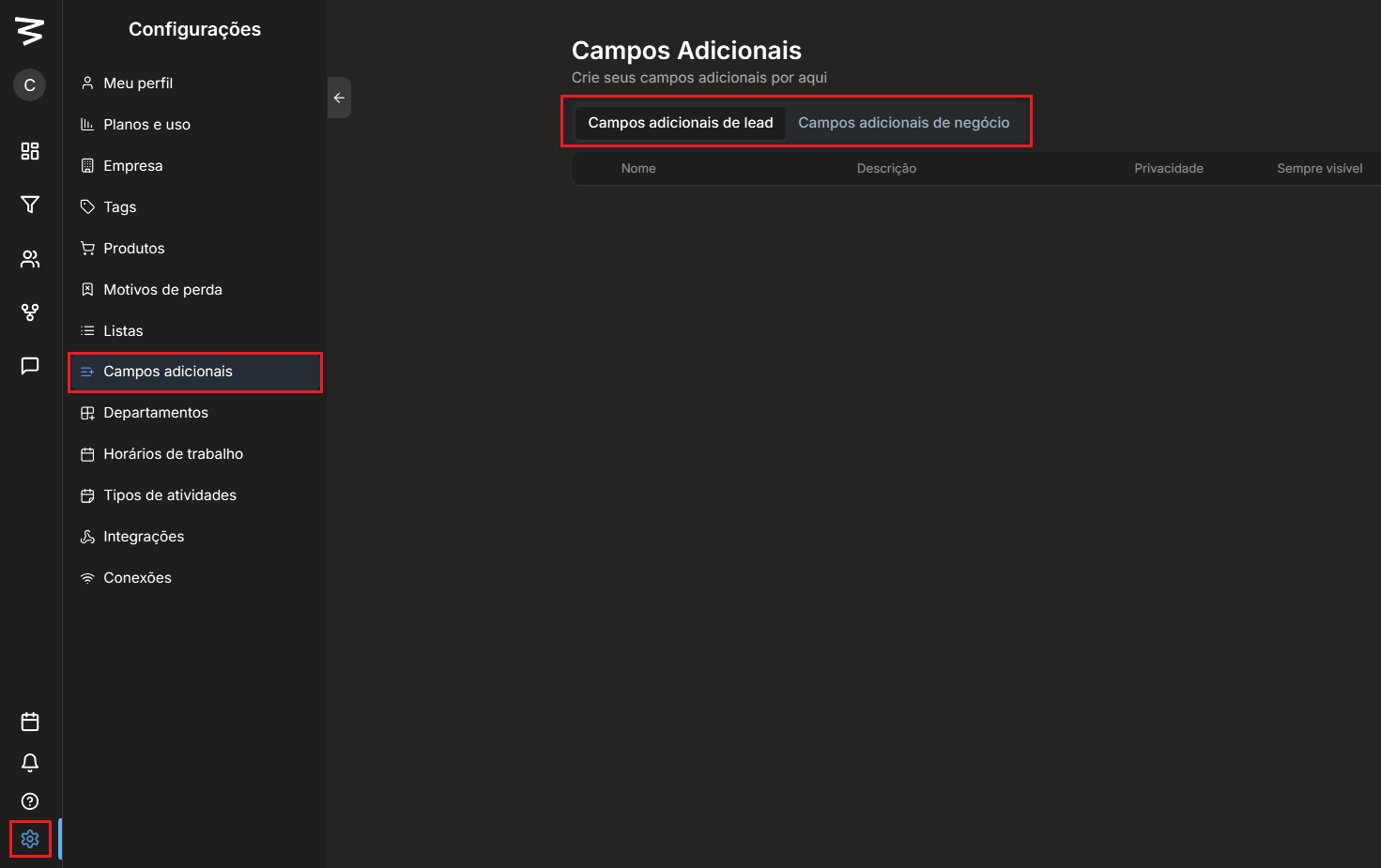
Go to Lead Additional Fields or Deal Additional Fields and click Create.
Fill in the requested information:
Additional field name
Description of the additional field (optional)
Create a group to organize the additional fields (optional)
Choose whether the field will be linked to the lead or to the deal
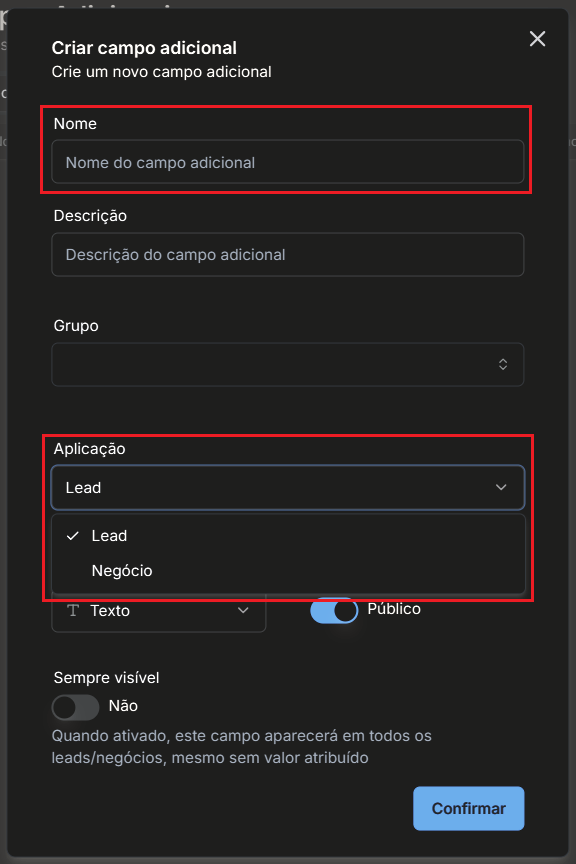
Select the type of the additional field:
Text
Number
Monetary value
Date
Options menu
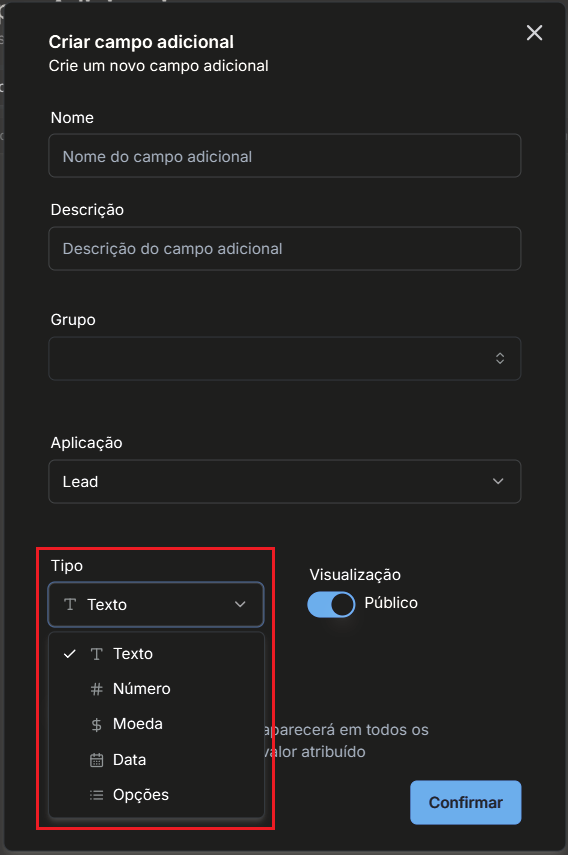
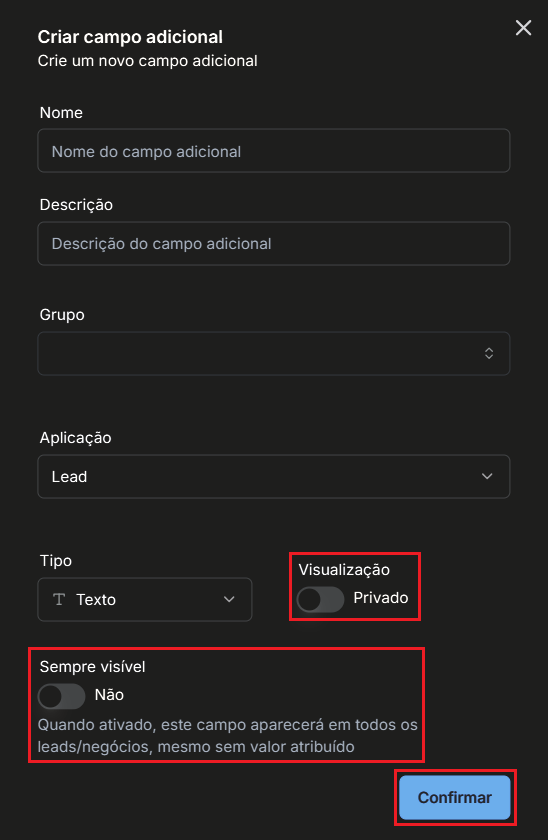
And finally, set the display of the additional field and click confirm:
Public or private
Always visible in leads/deals or not
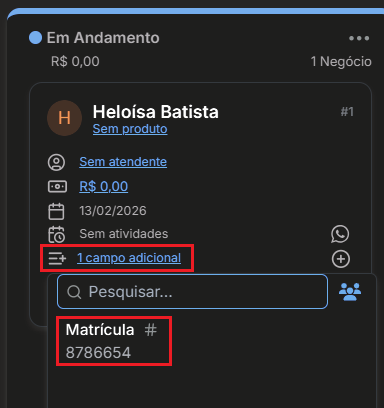
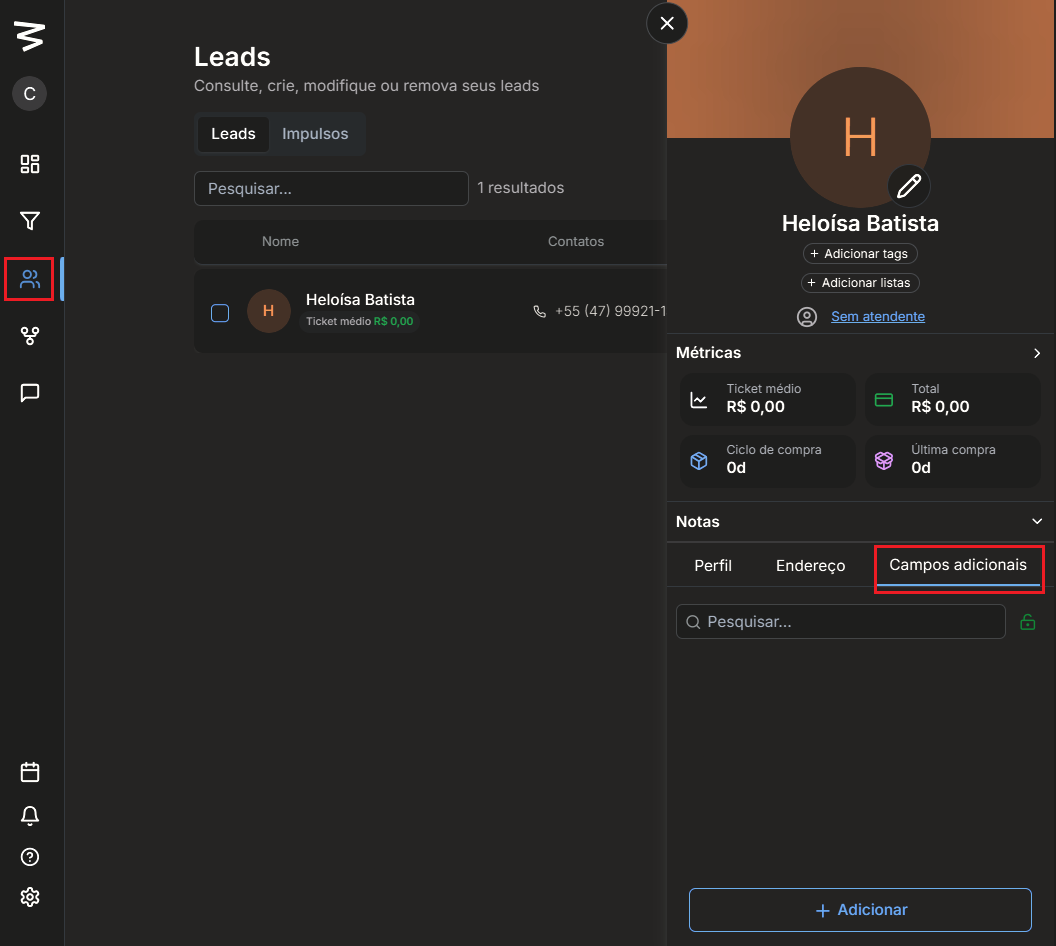
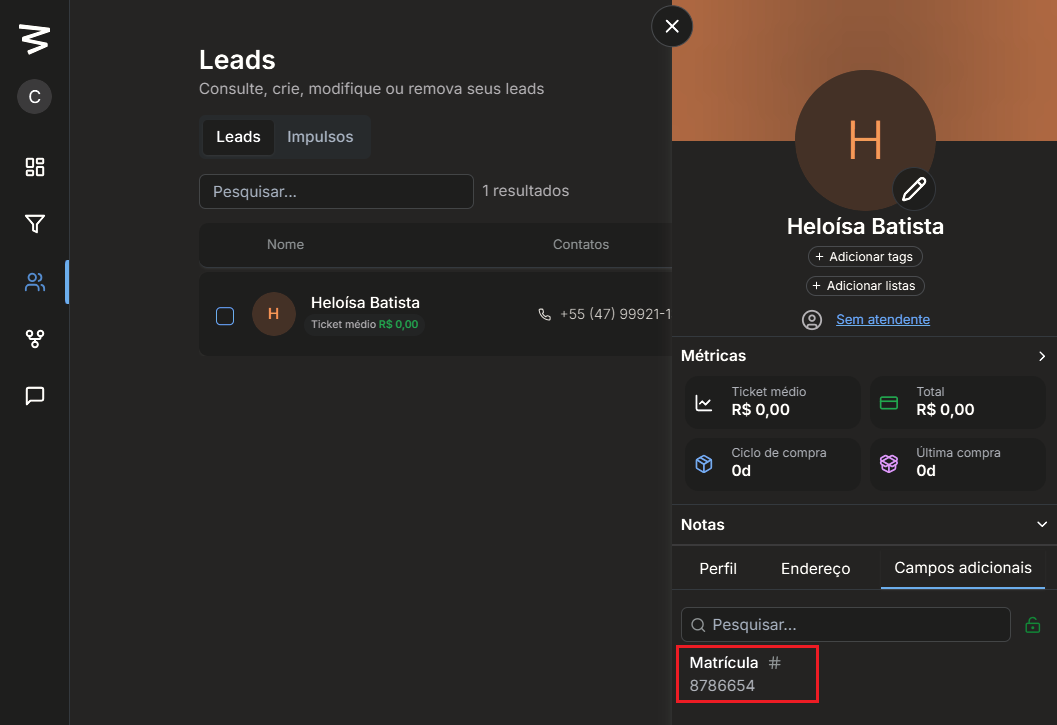
Access a lead's profile and locate the additional fields section:
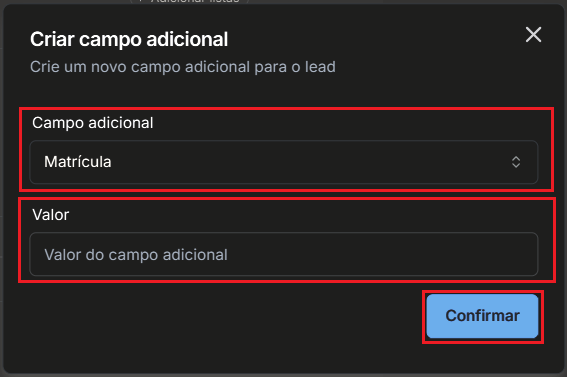
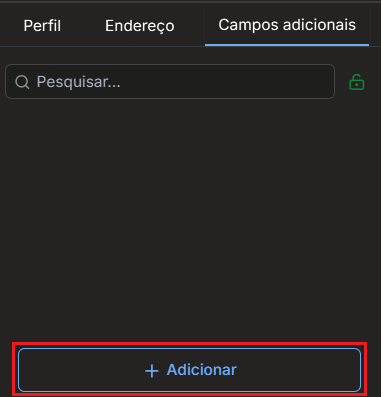
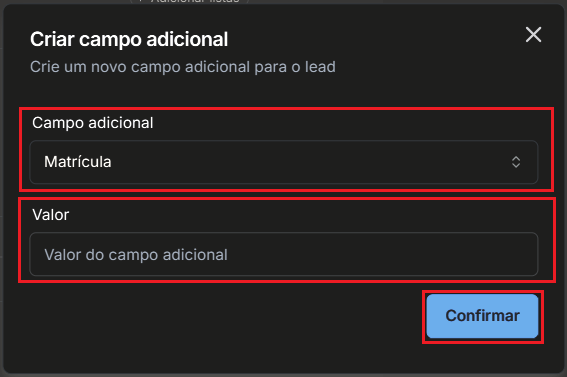
If the field is not visible, click on Add additional field, search for the desired field, fill in the field value and confirm:
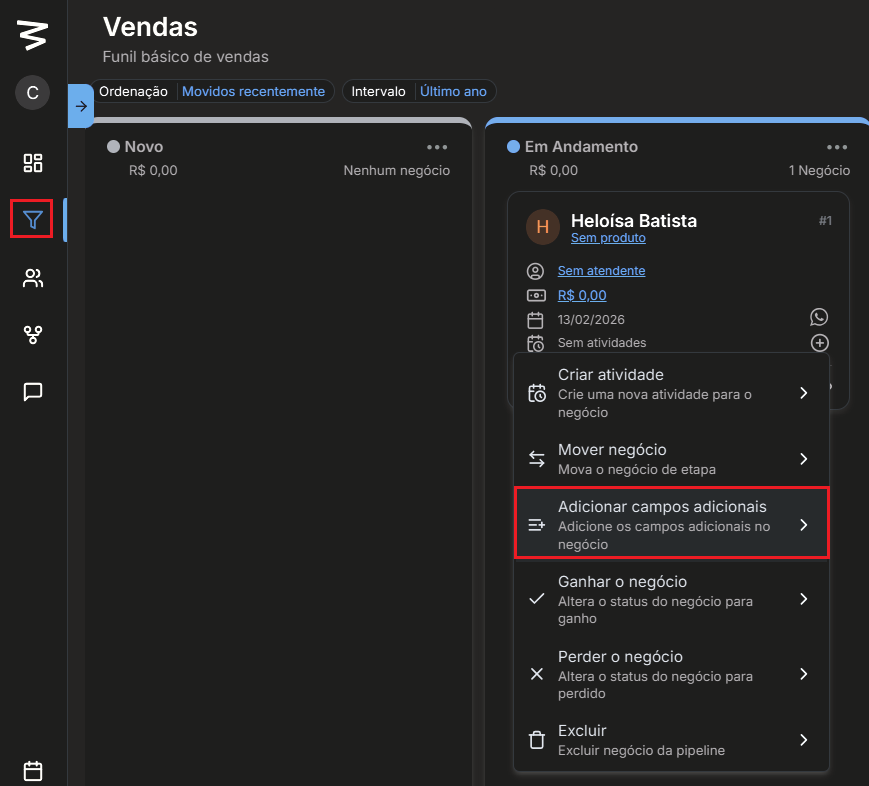
Access a business linked to the lead, click the + icon and select Add additional field:
Choose the desired additional field, fill in the value and confirm: