
What are lists
Lists work very similarly to tags, but are designed for more specific controls.
They allow you to separate leads according to specific contexts, such as campaigns, specific sends or temporary actions, making it easier to organize and manage your contact database.
Creating a new list
To create a list, access the Settings menu in Datacrazy and click on the Lists tab.
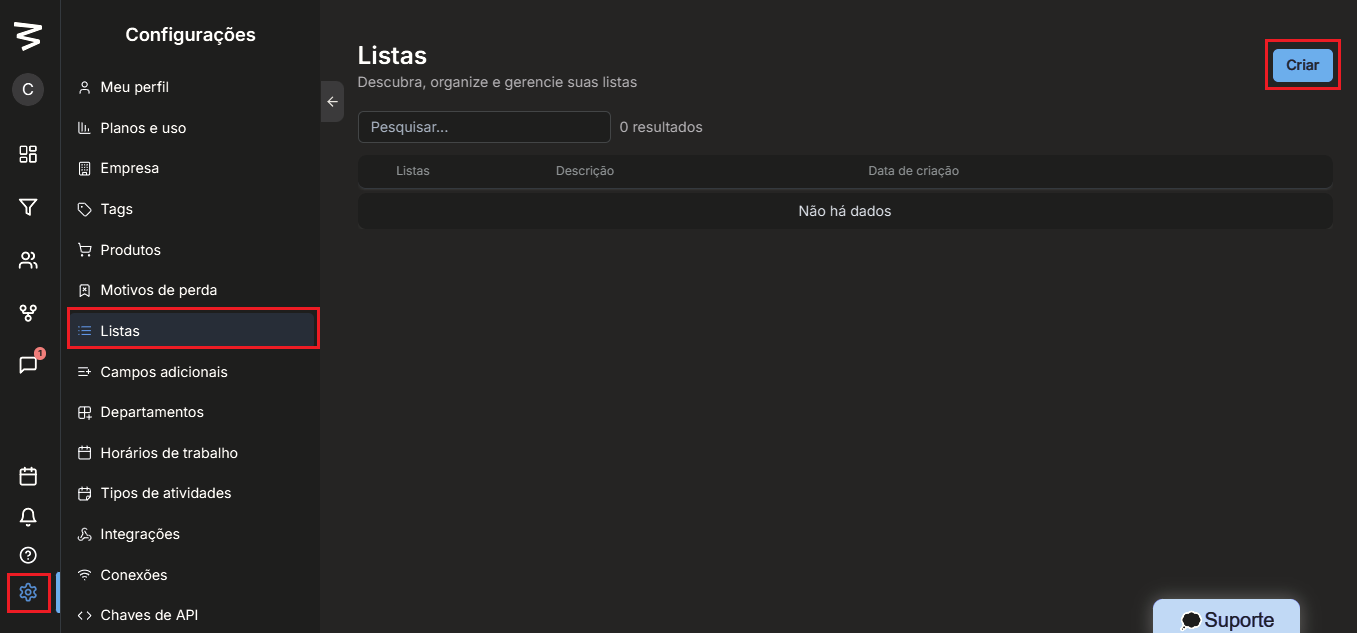
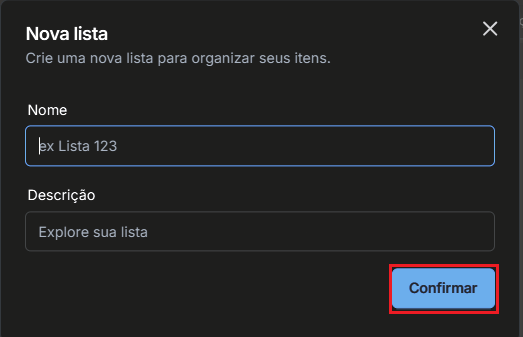
To create a new list, click on create, define the list name and add a description if you wish. After saving, the list will be available for use in the system.
Adding leads to a list from the leads tab
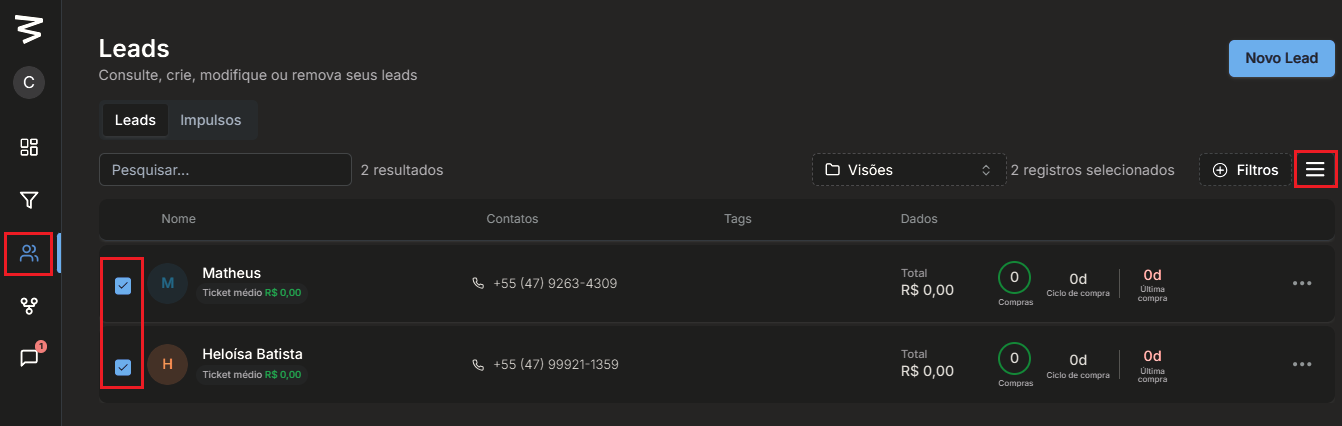
To add leads to a list, access the Leads tab.
Next, select the desired leads and click on the three action dots.
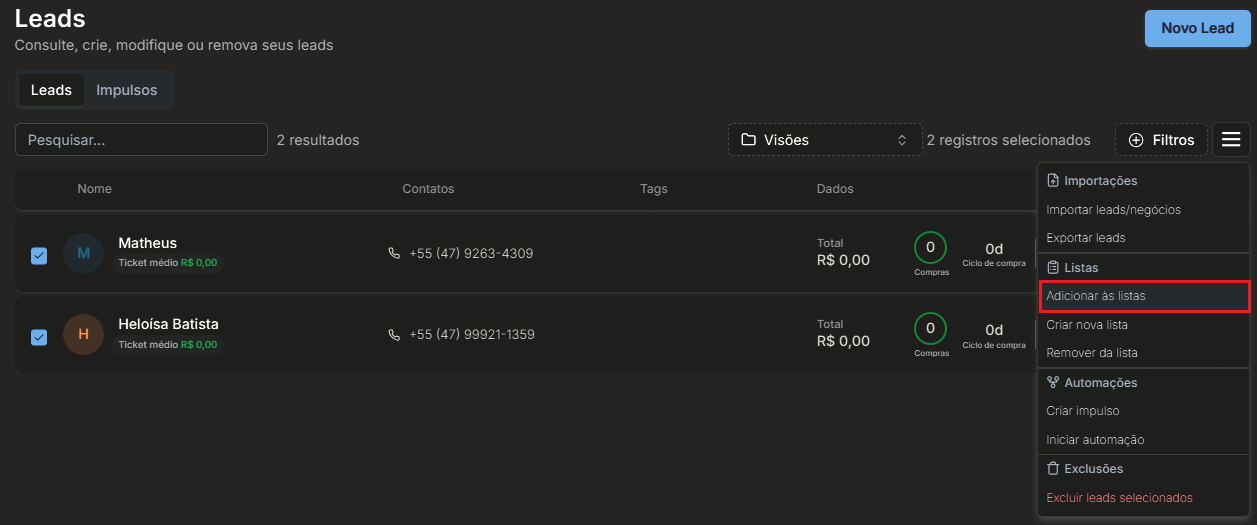
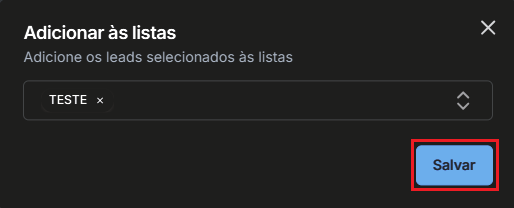
Choose the add to lists option, select the list you created and click save. The selected leads will be successfully added to the list.
Adding leads to a list from the lead profile
It's also possible to add a lead to a list directly from their profile.
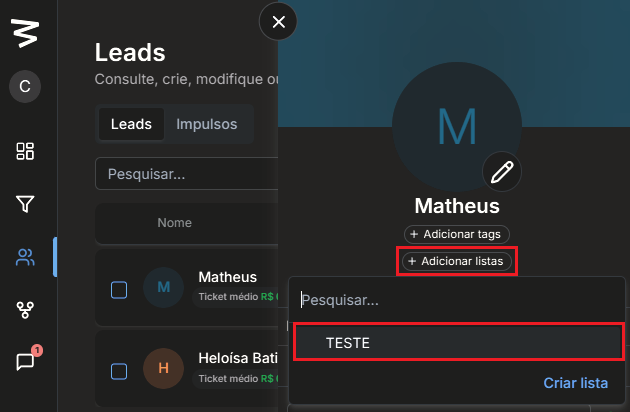
Within the lead's registration, locate the add lists option, below the tags,
select the desired list and confirm the action. The lead will immediately become part of the list.
Final considerations
Lists are an excellent alternative to tags for organizing and segmenting leads strategically, especially for one-off actions and specific campaigns.
With them, you gain more control over your contact database and make it easier to execute targeted actions within Datacrazy.
If you have any questions about using lists, Datacrazy support is available to help you.